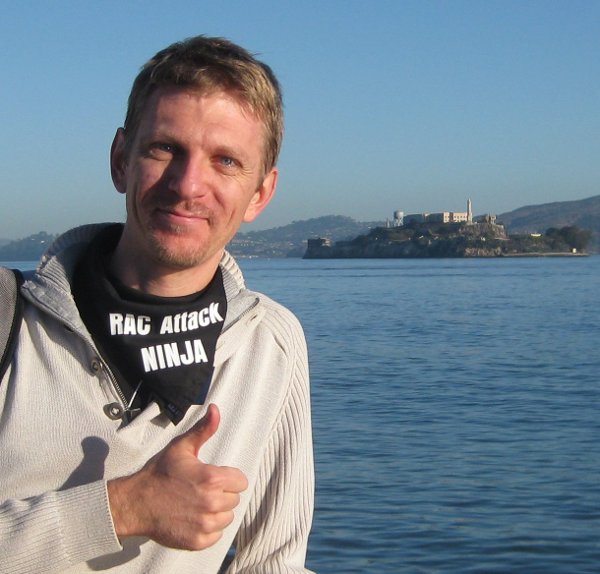
Ludovico is a member of the Oracle Database High Availability (HA), Scalability & Maximum Availability Architecture (MAA) Product Management team in Oracle.
He focuses on Oracle Data Guard, Flashback technologies, and Cloud MAA.
Finally I’ve decided to publish the slides about Galera Cluster that I’ve presented twice, at the internal Trivadis TechEvent conference past April and at the Linux Day 2013.
As already pointed by the existing articles, I can’t create a common user into the root container without the c## prefix, unless I’m altering the hidden parameter _common_user_prefix.
PgSQL
1
2
3
4
5
SQL>createusergoofyidentifiedbypippo;
createusergoofyidentifiedbypippo
*
ERRORatline1:
ORA-65096:invalidcommonuserorrolename
so I specify the correct prefix, and it works:
Oracle PL/SQL
1
2
3
4
5
6
7
SQL>createuserC##GOOFYidentifiedbypippo;
Usercreated.
SQL>grantcreatesession,altersessiontoc##goofy;
Grantsucceeded.
The user is common, so it appears in all the containers, I can check it by querying CDB_USERS from the root container.
Note that the error ORA-65049 is different from the ORA-65096 that I’ve got before.
My conclusion is that the clause container of the create role and create user statements doesn’t make sense as you can ONLY create common users and roles into the root container and only local ones into the PDBs.
Creating a local role
Just as experiment, I’ve tried to see if I can create a local role with container=ALL. It doesn’t work:
Oracle PL/SQL
1
2
3
4
5
6
7
8
9
SQL>altersessionsetcontainer=hr;
Sessionaltered.
SQL>createroleREGION_ROLEcontainer=ALL;
createroleREGION_ROLEcontainer=ALL
*
ERRORatline1:
ORA-65050:CommonDDLsonlyallowedinCDB$ROOT
So I create the local role with container=current:
Oracle PL/SQL
1
2
3
SQL>createroleREGION_ROLEcontainer=CURRENT;
Rolecreated.
Now, from the PDB I can see the two roles I can access, whereas from the root I can see all the roles I’ve defined so far: the common role is available from all the PDBs, the local role only from the db where it has been defined, just like the users.
From the root I can’t give grants on objects that reside in a PDB since I cannot see them: I need to connect to the PDB and give the grants from there:
Oracle PL/SQL
1
2
3
4
5
6
7
8
9
10
11
12
13
14
15
16
17
SQL>grantselectonhr.countriestoC##country_role;
grantselectonhr.countriestoC##country_role
*
ERRORatline1:
ORA-00942:tableorviewdoesnotexist
SQL>altersessionsetcontainer=hr;
Sessionaltered.
SQL>grantselectonhr.countriestoC##COUNTRY_ROLE;
Grantsucceeded.
SQL>grantselectonhr.regionstoREGION_ROLE;
Grantsucceeded.
Now, if I query CDB_TAB_PRIVS from the root, I see that the grants are given at a local level (con_id=3 and common=N):
give the grant commonly while connected to the root:
Oracle PL/SQL
1
2
3
4
5
6
7
SQL>altersessionsetcontainer=cdb$root;
Sessionaltered.
SQL>grantC##COUNTRY_ROLEtoc##goofycontainer=all;
Grantsucceeded.
I can also grant locally both roles and system privileges to common users while connected to the root container: in this case the privileges are applied to the root container only. Finally having the clause container finally starts to make sense:
Ok, I’ve given the grants and I’ve never verified if they work, so far.
Let’s try with theselect any table privilege I’ve given in the last snippet. I expect C##GOOFY to select any table from the root container and only HR.COUNTRIES and HR.REGIONS on the HR PDB bacause they have been granted through the two roles.
Now I see that the grants give two distinct permissions : one local and the other common.
If I revoke the grants without container clause, actually only the local one is revoked and the user can continue to login. To revoke the grants I would need to check and revoke both local and common privileges.
After the first revoke statement, I can still connect to HR and verify that my select any table privilege doesn’t apply to the PDB as it’s local to the root container:
Oracle PL/SQL
1
2
3
4
5
6
7
SQL>connectC##GOOFY/pippo@node4:1521/hr
Connected.
SQL>selectcount(*)fromhr.DEPARTMENTS;
selectcount(*)fromhr.DEPARTMENTS
*
ERRORatline1:
ORA-00942:tableorviewdoesnotexist
After that, I want to check the privileges given through the local and common roles.
I expect both users to select from hr.countries and hr.regions since they have been granted indirectly by the roles.
Let’s try the local user first:
Oracle PL/SQL
1
2
3
4
5
6
7
8
9
10
11
12
13
14
15
16
17
SQL>connectgoofy/pippo@node4:1521/hr
Connected.
SQL>selectcount(*)fromhr.regions;
COUNT(*)
----------
4
1rowselected.
SQL>selectcount(*)fromhr.countries;
COUNT(*)
----------
25
1rowselected.
Yeah, it works as expected.
Now let’s try the common user:
Oracle PL/SQL
1
2
3
4
5
6
7
8
9
10
11
12
13
14
15
16
17
SQL>connectc##goofy/pippo@node4:1521/hr
Connected.
SQL>selectcount(*)fromhr.regions;
COUNT(*)
----------
4
1rowselected.
SQL>selectcount(*)fromhr.countries;
COUNT(*)
----------
25
1rowselected.
It also work, so everything is ok.
Common and local grants, why you must pay attention
During the example, I’ve granted the C##COUNTRY_ROLE many times: locally to PDB, locally to the ROOT, commonly. The result is that I’ve flooded the grant table with many entries:
When granting privileges from the root container, keep in mind that container=current is the default even when the grantee or the role granted are common.
When revoking the grants with a Multitenant architecture, keep in mind that there is a scope and you may need more than one statement to actually remove the grant from all the scopes.
As always, I look for opinions and suggestions, feel free to comment!
I’ve had the chance to propose a POC on MEM 3.0 to a customer currently relying on MEM 2.3, so we set up a VM to make some tests on it. I want to share my very first experience with it.
The binaries
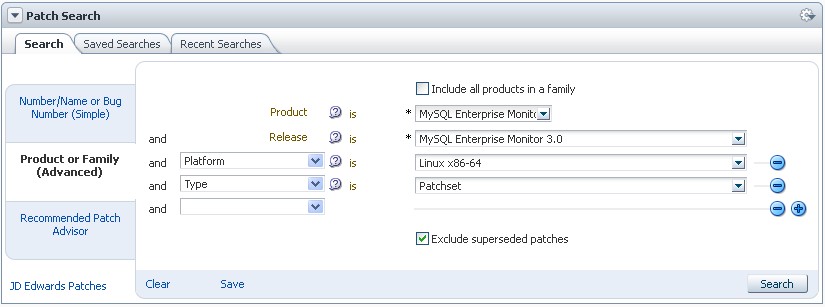
The binaries you can download from edelivery belong to the “base” 3.0.2 version. But the release 3.0.3 is available since November 1st: in order to get it you must download two patchsets from the My Oracle Support. (Patches & Updates).
Patch 17721950: MySQL Enterprise Monitor Service Manager 3.0.3 for Linux x86 (64-bit)
Patch 17721960: MySQL Enterprise Monitor Agent 3.0.3 for Linux x86 (64-bit)
So, as it is for Oracle RDBMS, now the new versions are released as patchsets that can be installed from scratch.
The installation
The installation of the new product is as straightforward as it was for the previous release. You can still choose between using an existent MySQL database or a new one created my the installer. The installation steps have not changed at all, so I won’t list them here.
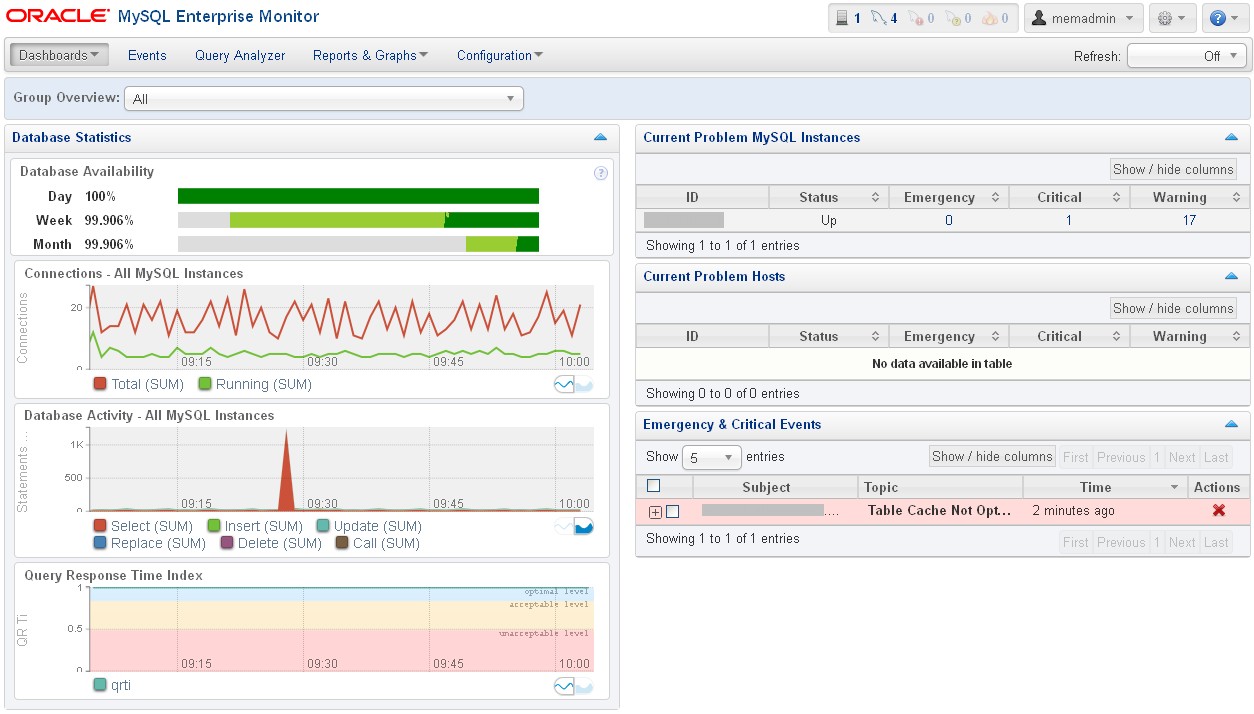
MEM3 comes with a new graphic vest, definitely more “Oracle style” and eye-candy. Globally I have to say that the experience is really improved. The overview page resumes well the overall availability, workload and alerts.
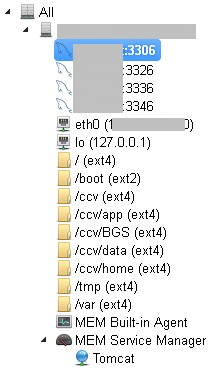
The new graph browser allows to choose the correspondent object from the left tree-view pane. You can see from the screenshot that now the agent collects data from the system and regroup the items differently, e.g. the filesystems are now separated objects belonging to the server.
New agent behavior
The new MySQL Enterprise Agent brings some benefits comparing to the old one. Now a single agent installation can monitor all database instances on the server and actively discover new ones.
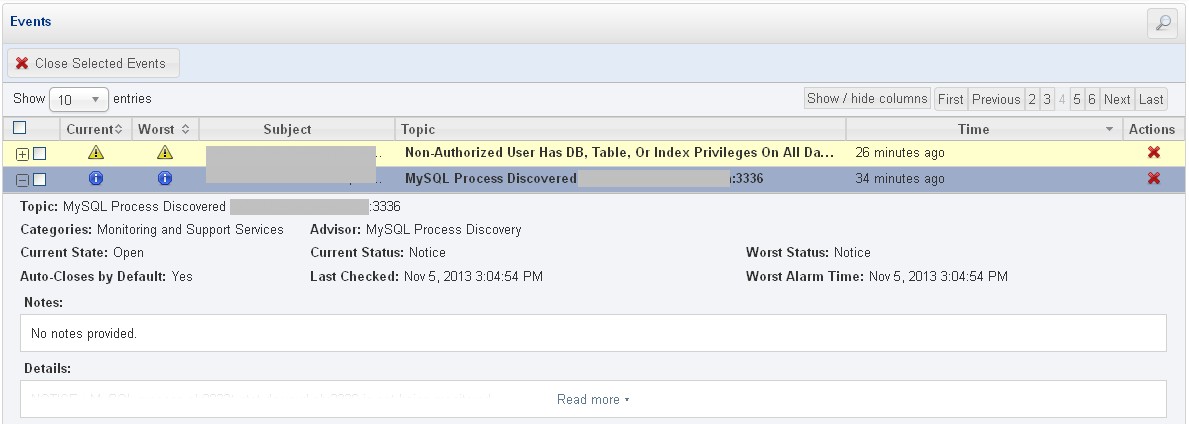
When a new instance is discovered is not monitored by default: an event is raised so you can create an handle that sends you an email that reminds to enable the monitoring for that instance.
Other remarks
The Query Analyzer is now active by default for instances that have the performance_schema enabled.
Many new graphs are displayed by default providing great information on database statistics trends.
The Event Handling is simpler to manage IMO, but the only choices are still sending an email and/or an SNMP trap. I regret that it’s still impossible to take actions like hooking shell scripts or send WS calls.
The other functionalities are still present and basically unchanged.
Conclusion
Oracle have done a very good job in restyling everything. The new Enterprise Monitor dashboard is really responsive and I haven’t found bugs so far. But I have to say that there is still a lack of features that would make it really “enterprise ready”, such as a plugin mechanism that would allow to interact directly with common event management softwares like EM12c, Tivoli, Remedy or CA SM without relying on SNMP only. Also, it would be great to run actions directly when an event raises.
The POC however has been a complete success and we’ll start next week with the definitive migration! 🙂
NOTE: The maximum number of database instances per cluster is 512 for Oracle 11g Release 1 and higher. An upper limit of 128 database instances per X2-2 or X3-2 database node and 256 database instances per X2-8 or X3-8 database node is recommended. The actual number of database instances per database node or cluster depends on application workload and their corresponding system resource consumption.
But how many instances are actually beeing consolidated by DBAs from all around the world?
I’ve asked it to the Twitter community
I’ve sent this tweet a couple of weeks ago and I would like to consolidate some replies into a single blog post.
who has done more than this on a single server? $ ps -eaf | grep ora_pmon | wc -l 77 #oracle#consolidation
Does this thread of tweets reply to the question? Are you planning to consolidate your Oracle environment? If you have questions about how to plan your consolidation, don’t hesitate to get in touch! 🙂
In my previous post I’ve talked about some news from the Open World. Now it’s time to talk about MY week and why I’ve loved it…
It’s all about community involvement
The most exciting thing about the OOW is the possibility to interact with great people, bloggers, speakers, experts, and now I can also say friends. In the last decade, I’ve worked hard for customers and dealt with almost all the problems and architectures that an Oracle DBA can face, but I’ve always done few efforts for the community, sometimes because I was having no time, sometimes because I was perceiving it as time-expensive and gainless. I was wrong. It’s time-consuming, yes, but it lets me feel richer.
The first good news
When I’ve landed in the USA, the first mail I’ve read was the following:
Congratulations Bjoern. Bobby, Gokhan and Ludovico on being elected as RAC SIG Office bearers!!!
Vice President: Bjoern Rost
US Conference Events Chair: Bobby Curtis
Website Chair : Gokhan Atil
Regional Chair Europe: Ludovico Cadara
We look forward for you all to take us to the next level. I will include you on our board member email group.
Congratulations again!!
K.P.Singh
Current President, RAC SIG
We’ve made an official announcement on twitter recently:
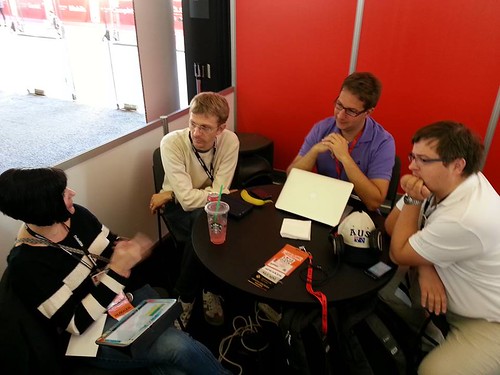
So I’ve attended my first RAC SIG meeting at OOW13 at the OTN lounge.
RAC SIG meeting at OOW13
Now I’m weekly (or even daily) in contact with the board by e-mail, tomorrow we’ll have a conf-call to put the bases to work on for the next year. Wish us good luck! 🙂
RAC Attack 12c
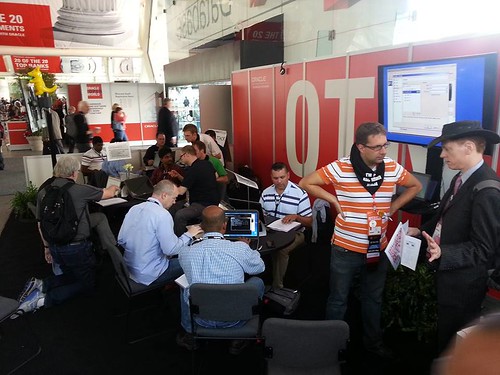
Well, I’ve talked about the RAC ATTACK in my previous posts. The event has been a success, we’ve had many attendants, curious people and friends coming to do the lab or get in touch. It has been a great opportunity to collaborate with (and be praised by) several community experts including Oracle ACEs and ACE directors:
The Ninjas:
Seth Miller (@Seth_M_Miller)
Bjoern Rost (@brost)
Yury Velikanov (@yvelik)
Leighton Nelson (@leight0nn)
Bertrand Drouvot (@BertrandDrouvot)
Kamran Agayev (@KamranAgayev)
Martin Nash (@mpnsh)
Maaz Anjum (@maaz_anjum)
Hans Forbrich (@HansForbric)
Tim Hall (@oraclebase)
Ludovico Caldara (@ludovicocaldara) that’s me! 🙂
Other contributors and great people that worked on the project:
Laura Ramsey (@OracleDBDev)
Jeremy Schneider (@jer_s)
Osama Mustafa (@OsamaOracle)
Bobby Curtis (@dbasolved)
Alex Gorbachev (@alexgorbachev)
Also note that the RAC Attack will be present at the UKOUG Tech 2013 and RMOUG 2014, so don’t miss it if you plan to attend these conferences.
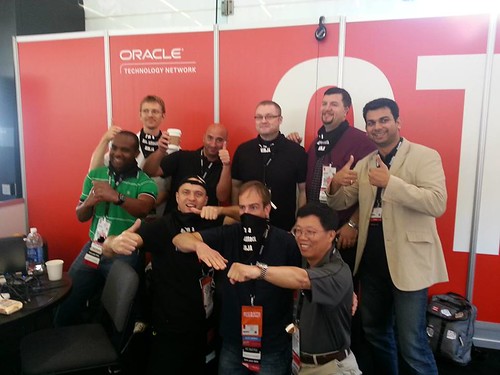
The Blogger Meetup
This meeting, organized by Pythian and OTN, allows to meet the most famous and active bloggers in the Oracle Community. This GREAT VIDEO from Björn Rost should give you an idea (I appear at 19”):
Here’s another one, always from Björn:
The Swim in the bay
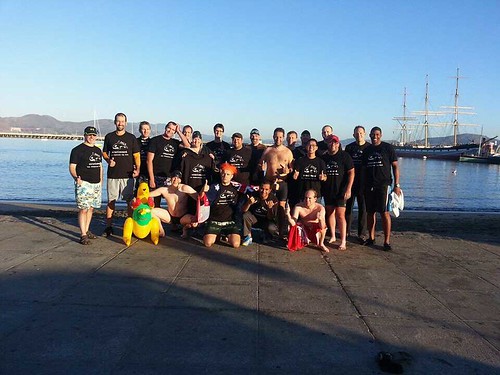
Literally, a meetup of crazy guys willing to freeze themselves in the bay the early morning!
Chet Justice has organized this and he managed to get sponsorship for swim-caps and T-shirts 🙂 I’m the third from the left, you may recognize many famous people here 🙂
Now I’m part of a community, I’m involved, I learn from others and I let others to learn from me… where applicable! 🙂 Interacting with people from all around the world let me feel stronger and more open to new challenges. And I know that if I have a dream is up to me to chase it and make it come true.
PS: This is an incomplete list of the people I’ve met (other than the RAC Attack contributors).
Make sure to follow them!
Vit Spinka (@vitspinka)
Vanessa Simmons (@pythiansimmons)
Riyaj Shamsudeen (@riyajshamsudeen)
Øyvind Isene (@OyvindIsene)
Carlos Sierra (@csierra_usa)
Gregory Guillou (@ArKZoYd)
Heli Helskyaho (@HeliFromFinland)
Marc Fielding (@mfild)
Jonathan Lewis (@JLOracle)
Fuad Arshad (@fuadar)
Chet Justice (@oraclenerd)
Tim Gorman (@timothyjgorman)
Mark W. Farnham (@pudge1954)
Kerry Osborne (@KerryOracleGuy)
Arjen Visser (@dbvisit)
Kyle Hailey (@kylehhailey)
Steve Karam (@OracleAlchemist)
Eric Grancher (@EricGrancher)
Arup Nanda (@arupnanda)
Kent Graziano (@KentGraziano)
Andrey Goryunov (@goryunov)
James Morle (@JamesMorle)
Christo Kutrovsky (@kutrovsky)
Brian Fitzgerald (@ExaGridDba)
Kellyn Pot’Vin (@DBAKevlar)
Karl Arao (@karlarao)
Jason Arneil (@jarneil)
Gustavo Rene Antunez (@grantunez)
Frits Hoogland (@fritshoogland)
Luca Canali (@LucaCanaliDB)
Chris Buckel (@flashdba)
Cary Millsap (@CaryMillsap)
Paul Vallee (@paulvallee)
Tanel Poder (@TanelPoder)
Connor McDonald (@connor_mc_d)
Gwen (Chen) Shapira (@gwenshap)
Christian Antognini (@ChrisAntognini)
Mauro Pagano (@Mautro)
Jérôme Françoisse (@JeromeFr)
Ittichai (@ittichai)
Jeff Smith (@thatjeffsmith)
Michelle Malcher (@malcherm)
Debra Lilley (@debralilley)
Doug Burns (@orcldoug)
I’m back at work now, safely, after the week in San Francisco.
It’s time to sit down, and try to pull out some thought about what I’ve experienced and done.
I’ll start from the new announcements, what is most important for most people, and leave my personal experience for my next post.
In-memory Database Option
Oracle has announced the In-Memory option for the Oracle Database. This feature will store the data simultaneously in traditional row-based and into a new in-memory columnar format, to serve optimally both analytics and OLTP workloads AT THE SAME TIME. Because column-based storage is redundant, it will work without logging mechanism, so the overhead will be minimal. The marketing message claims “ungodly speed”: 100x faster queries for analytics and 2x faster queries in OLTP environments.
By separating Analytics and OLTP with different storage formats, the indexes on the row-based version of the table can be reduced to make the transactions faster, getting the rid of the analytical indexes thank to the columnar format that is already optimized for that kind of workload. The activation of the option will be transparent to the applications.
How it will be activated?
Oracle PL/SQL
1
2
3
inmemory_size=XXXGB
altertablefoo...inmemory;
Now my considerations:
[evil] Will this option make your database faster than putting it on an actual Exadata?
It will be an option, so it will cost extra-money on top of the Enterprise Edition
[I guess] it will be released with 12cR2 because a such big change cannot be introduced simply with a patch set. So I think we’ll not see it before the end of 2014
And, uh, Maria Colgan has given up the Product Management of the Cost Based Optimizer to become the Product Manager of the In-Memory option. Tom Kyte will take the ownership of the CBO.
M6-32 Big Memory Machine
I’ve paid much less attention for this new announcement. The new big super hyper machine engineered by Oracle will have:
1024 DIMMS
32TB of DRAM
12 cores per processors
96 threads per processor
This huge memory machine can be connected through InfiniBand to an Exadata to rely on its storage cells.
But it will cost 3M$, so it’s not really intended for SMBs or for the average DBA, that’s why I don’t care too much about it…
Only 8 minutes in the keynote to introduce this appliance that is really hot, IMHO. This… oh my… let’s call it ODBLRA, is a backup appliance (based on the same HW of Exadata) capable of receiving the stream of redo logging over SQL*Net, the same way as it’s done with DataGuard, except that instead of having a standby database, you’ll have an appliance capable of storing all the redo stream of your entire DB farm and have a real-time backup of your transactions. That’s it: no transactions lost between two backup archives and no need to have hundreds of DataGuard setups or network filesystems as secondary destinations in order to make your redo stream safer.
I guess that it will host an engine RMAN-aware that can create incremental-updated backups, so that you can almost forget about full backups. You can leverage an existent tape infrastructure to offload the appliance if it starts getting full.
Your ODBLRA can also replicate your backups to an another appliance hosted on the Oracle Cloud: ODBLRAaaS! 🙂
To conclude, Oracle is pushing for bigger, dedicated, specialized SPARC machines instead of relying on commodity hardware…
Oracle Multi-tenant Self-Service Provisioning
There’s a new APEX application, now in BETA, that can be downloaded from the Oracle Multitenant Page that provides self-service provisioning of databases in a Multitenant architecture. It’s worth a try… if you plan to introduce the Multitenant option in your environment!
All products in the Cloud
Oracle now offers (as a preview) its Database, Middleware and Applications as a Service, in its public cloud. For a DBA can be of interest:
The Storage aaS, use Java & REST API (Openstack SWIFT) for block level access to the storage.
The Computing aaS allows you to scale the computing power to follow your computing needs.
The Database aaS is the standard, full-featured Oracle Database (in the cloud!) 11gR2 or 12c in all editions (SE, SE1, EE). You can choose five different sizes, up to 17cores and 256Gb of RAM, and choose 3 different formulas:
Single Schema (3 sizes: 5, 20 or 50Gb, with prices from 175$/month to 2000$/month)
Basic Database (user-managed, single-instance preconfigured databases only with a local EM)
Managed Database (single-instance with managed backups & PITR, managed quarterly apply of critical parches)
Premium Managed Database (fully managed RAC, with optional DG or Active DG, PDB and upgrades)
My considerations:
Oracle releases this cloud offering with significant delay comparing to his competitors
It’s still in preview and there’s no information about the billing schema. Depending on that, it can be more or less attractive.
As for other cloud services, the performance will be acceptable only when putting all the stack into the same cloud (WebLogic, DB, etc.)
Oracle on Azure
Microsoft starts offering preconfigured Oracle platforms, Database and WebLogic, on Azure on both Linux and Windows systems. I haven’t seen the price list yet, but IMHO Azure has been around since longtime now, and it appears as a reliable and settled alternative comparing to Oracle Cloud. Nice move Microsoft, I think it deserves special attention.
One of the new features of Oracle 12c is the new is the MySQL C API implementation for Oracle, so that all applications and tools built on this API can use transparently a MySQL or an Oracle database as backend.
Oracle says that this will facilitate the migration from MySQL to Oracle, but I ask myself: Won’t be attractive for many developers to start developing applications with the MySQL API rather than with the Oracle libraries? This can potentially permit new applications to be migrated quickly in the opposite direction… (Oracle -> MySQL).
I’ve decided to write about how I’ve got my OCP 11g certification. Why? It’s not always clear that the step order indicated by the official Oracle Certification pages is not mandatory, and that it can be changed to better fit your needs.
What the Certification pages states
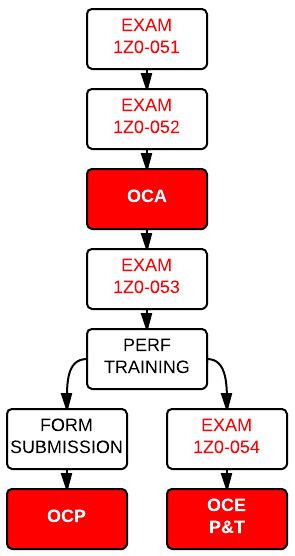
According to the page, you should go through the steps in the following order:
Pass the exams 1Z0-051 and 1Z0-052 to get the OCA
Complete an approved course
Pass the 1Z0-053 exam
Complete the course submission form
Get the OCP certification
What you can do
Actually, you can go through the steps in any order, and get your result when all the required steps have been completed
My goal was to achieve the OCP certification first and then get the OCE Performance and Tuning. Since I was longtime and largely prepared for the OCP, I’ve decided to change my path as follows:
Pass the exams 1Z0-051 and 1Z0-052 to get the OCA
Pass the exams 1Z0-053
Get the training on Perf&Tuning (Training On Demand also works, and the course counts toward the OCP since it is included in the list of courses available for the OCM).
Concurrently, I’ve submitted by form for the OCP and passed the exam 1Z0-054 for the OCE, achieving 2 certifications in few days.
By doing it this way, I’ve been able to get the Perf&Tuning exam just after the specific training.
For any question, just contact the Oracle University, they will clarify any doubt about the possible paths.
Note: the P&T training I’ve taken is no more valid for the OCM path since I’ve already submitted it for the OCP. If you plan to do the same you’ll need TWO additional trainings in order to get the OCM.
You’re going to head at OOW this year. Your count down has started and you feel excited about that.
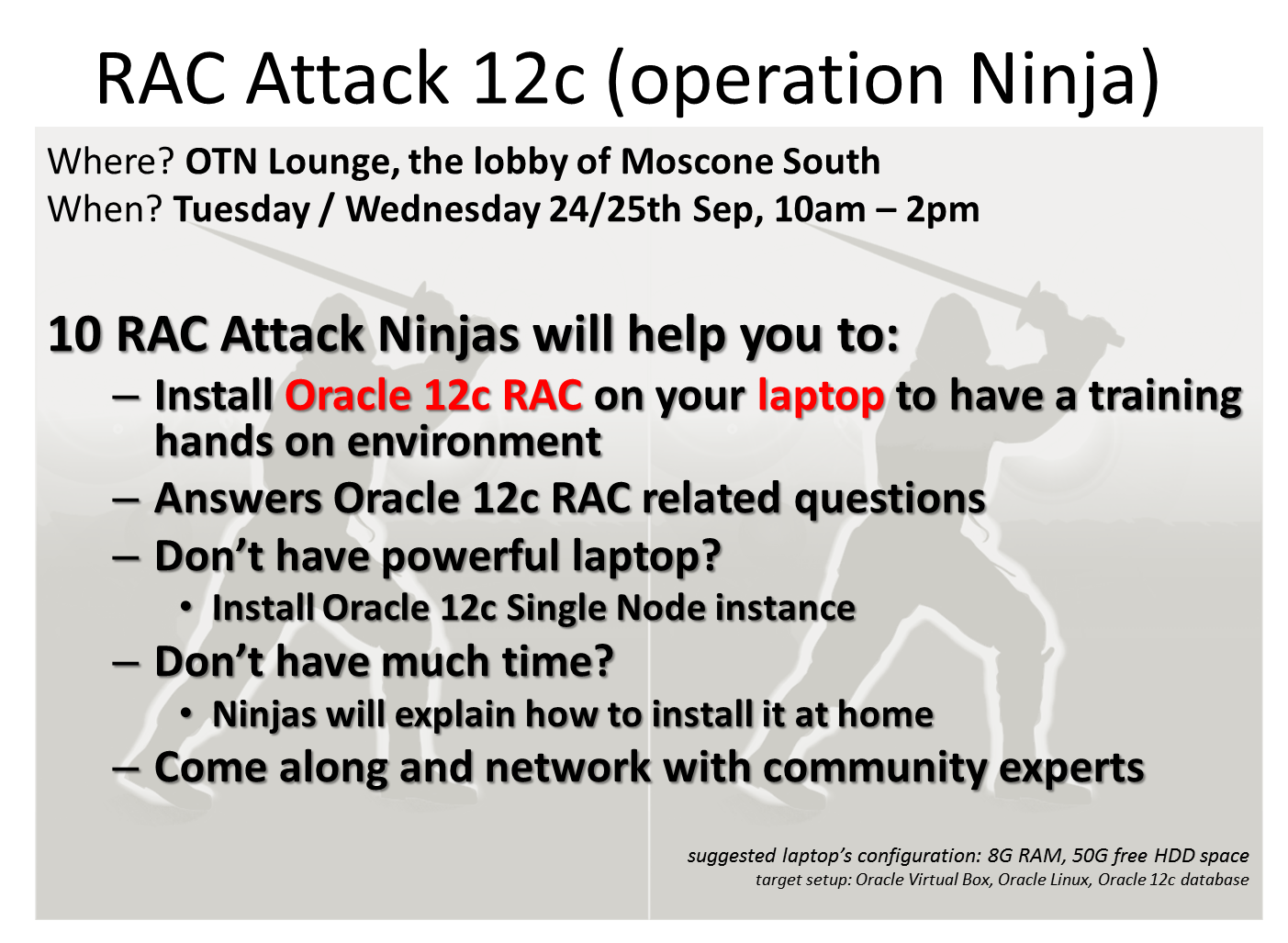
Have you planned carefully your AGENDA? If you’re a RAC geek and you’re not going to attend #RACAttack, the answer is NO!! 🙂 This year the RAC Attack we’ll be mentored by real Ninjas, just come along to be part of them!
Reserve from one to three slots on your agenda and go to the OTN Lounge (@ the lobby of Moscone South)
Launch RAC Attack at OOW 2013 (NINJAS Presentation) On Sunday, from 4PM to 6PM, the OTN will open his lounge. At 4:45PM our team will present himself in just 15 minutes, along with the project. OTN will provide food and drinks (that’s what I’ve heard 😉 ) so don’t miss it for any reason.
RAC Attack at OOW 2013 Day 1 On Tuesday, from 10AM to 2PM, our fearless team of Ninjas will assist you during the installation from scratch of a real RAC environment on your laptop.
RAC Attack at OOW 2013 Day 2 There will be a second slot of 4 hours, the Wednesday, from 10AM to 2PM to give you a second chance to attend (and finalize your installation, start a new one, or just have fun together and discuss about complex RAC topologies, for real RAC geeks!).
What differs this year?
The new book covers the installation of a brand new Oracle RAC in release 12c on Oracle VirtualBox. Still not enough?
Among the volunteers we’ll have 5 Oracle ACEs or ACE Directors, some Certified Masters and a great representative of the RAC SIG board. You’ll recognize us because of our bandanas… Don’t worry, we are not an elite, we’re just good DBAs eager to share our experience, ear from you, and share good time. Sounds good?
If you attend, you’ll earn a special “RAC Attack Ninja” ribbon, so you can go back to work and boast with your colleagues (and your boss!).
And why not, propose a new RAC environment at your company and get it done with a little more confidence, for what it’s worth, that’s the real objective: practice with the RAC technology and get ready for a real scenario.
Make sure that you accomplish some steps before starting your journey to OOW:
Make sure you have a recent laptop to install the full RAC stack. The new 12c is a little more demanding than the 11g, each RAC node would require 4Gb of RAM, but if you have 8Gb of RAM on your laptop we guarantee that it’s enough.
The WI-FI connection at OOW is sub-optimal for heavy downloads (I’m euphemistic), so make sure you get your own copy of the Oracle software (Grid Infrastructure and Database) by following the download instruction from: http://en.wikibooks.org/wiki/RAC_Attack_-_Oracle_Cluster_Database_at_Home/RAC_Attack_12c/Software_Components If you come without your own copy of the software, we won’t give it to you it because of legal concerns, but hopefully we’ll have some spare laptops available to allow you to complete your lab successfully. Just make sure to confirm your presence on the Facebook event page and we’ll try to do our best (but cannot guarantee a laptop for everyone!).
Give us your feedback and spread the word!
If you plan attend (good choice! :-)) , take a business card with you and get in touch with us. It’s a great networking opportunity. Take a lot of pictures, upload them on the social networks (the #RACAttack hashtag on twitter, the facebook page, the RAC SIG group on LinkedIn) and give us your feedback. Other RAC Attack events will be planned, so we can improve thank to your suggestions.
Hope to see you there.
Ludovico
This website uses cookies to improve your experience. We'll assume you're ok with this, but you can opt-out if you wish.Accept
Privacy & Cookies Policy
Privacy Overview
This website uses cookies to improve your experience while you navigate through the website. Out of these, the cookies that are categorized as necessary are stored on your browser as they are essential for the working of basic functionalities of the website. We also use third-party cookies that help us analyze and understand how you use this website. These cookies will be stored in your browser only with your consent. You also have the option to opt-out of these cookies. But opting out of some of these cookies may affect your browsing experience.
Necessary cookies are absolutely essential for the website to function properly. This category only includes cookies that ensures basic functionalities and security features of the website. These cookies do not store any personal information.
Any cookies that may not be particularly necessary for the website to function and is used specifically to collect user personal data via analytics, ads, other embedded contents are termed as non-necessary cookies. It is mandatory to procure user consent prior to running these cookies on your website.