About Ludovico

Ludovico is a member of the Oracle Database High Availability (HA), Scalability & Maximum Availability Architecture (MAA) Product Management team in Oracle. He focuses on Oracle Data Guard, Flashback technologies, and Cloud MAA.

How cold incremental recovery saved me once

UPDATE: In the original version I was missing a few keywords: “incremental level 0” for the base backup and “resetlogs” at the database open. Thanks Gregorz for your comments.

Sorry for this “memories” post, but the technical solution at the end is worth the read, I hope 😉

Back in 2010, I was in charge of a quite complex project and faced some difficulties that led me to recover a database in a different manner. A few years have passed, but I used again the same procedure many times with full satisfaction… I think it’s worth to publish it now.

But first, let me introduce the project details and the problem.


Scope of the project

Transport a >1TB RAC database from AIX 5 on P6 to AIX 6 on P7, from a third-party datacenter in southern Italy to our main datacenter in northern Italy.
The Database featured >1000 datafiles and a huge table (800GB) partitioned by range and sub-partitioned by list (or the opposite, can’t remember).


Challenges

For budget containement, the project owner asked to avoid the use of HACMP (and thus, avoid the use of shared JFS2). I decided  then to take the risk and migrate from JFS2  to ASM.

In order to avoid a few platform-related ASM bugs, I also had to upgrade from Oracle 10.2.0.3 to Oracle 10.2.0.4.


Constraints

I had no access to the source database that was 800km far from our datacenter, and I was granted only to ask for RMAN backups.

The total time of service disruption accepted was quite short (<30 minutes) considering the size and the distance of the database, and there was no direct connectivity between the sites (for political reasons).

Globally, the network throughput for sharing files over ftp was very poor.


First solution

This kind of move was very common to me, and because I was not grated to ask for a temporary Data Guard configuration, the easy solution for me was to ask:

1 – one RMAN ONLINE full backup physically sent on disk

2 – many RMAN archive backups sent over network (via ftp)

Then, on my side, restore the full backup, recover the archives sent over time and, at the date X, ask a final archive backup, ask to close the db and send the online redo logs to do a complete recovery on my side, then startup open upgrade.


Problem

I did a first “dry run” open resetlogs in order to test the procedure and make it faster, and also asked to test the application pointing to the destination database.

The very bad surprise was that the source database was doing a huge amount of nologging inserts leading to monster index corruptions after the recovery on the destination database.

According to the current database maintainer, setting the force logging on the source database was NOT an option because the SAN was not able to cope with the high redo rates.


Solution

By knowing the Oracle recovery mechanisms, I have proposed to the remote maintainer to change the recovery strategy, despite this solution was not clearly stated in the Oracle documentation:

1 – Take a first online incremental backup from the begin scn of  the base full backup (thank God block change tracking was in place) and send it physically over disk

2 – Take other smaller online  incremental backups, send them over ftp  and apply them on the destination with “noredo”

3 – At the date X, shutdown the source, mount it and take a last incremental in mount state

4 – recover noredo the last incremental and open resetlogs the database.

According to the documentation, the “cold incremental strategy” applies if you take “cold full backups”. But from a technical point of view, taking a cold incremental and recovering it on top of a fuzzy online backup this is 100% equivalent of taking a full consistent backup in mount state.
Because all the blocks are consistent to a specific SCN, there are no fuzzy datafiles:  they are recovered from incremental taken from a mounted database! This allows to do incremental recovery and open the databases without applying any single archived log and by shutting down the database only once.


Technical steps

First, take a  full ONLINE backup on the source:

Then restore it on the destination (with no recovery):

Then, run a COLD incremental backup on the source:

And run the incremental recovery on the source (without redo):

That’s all!

This solution gave me the opportunity to move physically the whole >1TB nologging database from one region to another one with a minimal service disruption and without touching at all the source database.

I used it many times later on, even for bigger databases and on several platforms (yes, also Windows, sigh), it works like a charm.

HTH

Ludovico

Getting the DBID and Incarnation from the RMAN Catalog

Using the RMAN catalog is an option. There is a long discussion between DBAs on whether should you use the catalog or not.

But because I like (a lot) the RMAN catalog and I generally use it, I assume that most of you do it 😉

When you want to restore from the RMAN catalog, you need to get the DBID of the database you want to restore and, sometimes, also the incarnation key.

The DBID is used to identify the database you want to restore. The DBID is different for every newly created / duplicated database, but beware that if you duplicate your database manually (using restore/recover), you actually need to change your DBID using the nid tool, otherwise you will end up by having more than one database registered in the catalog with the very same DBID. This is evil! The DB_NAME is also something that you may want to make sure is unique within your database farm.

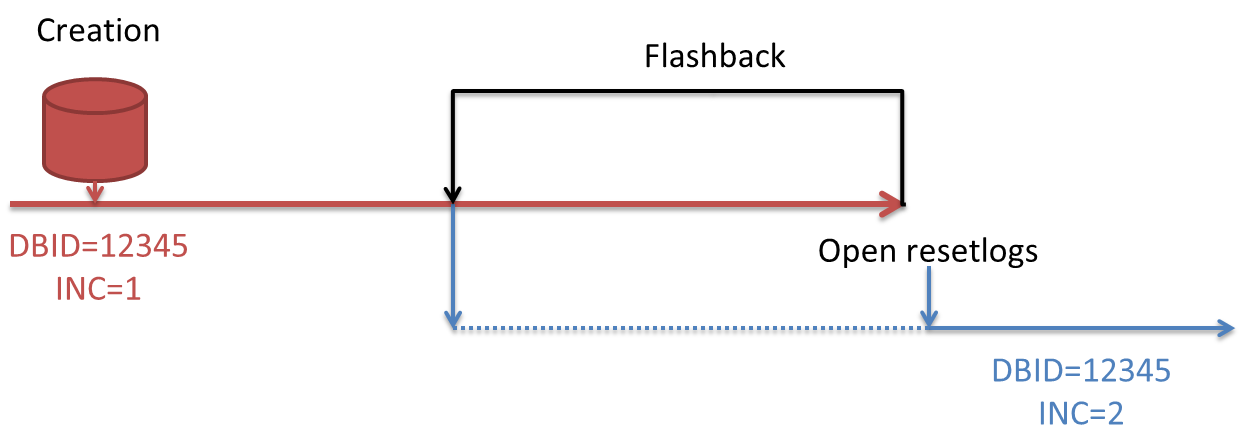
The Incarnation Key changes whenever you do an “open resetlogs”, following for example a flashback database, an incomplete recovery, or just a “open resetlogs” without any specific need.

2016-02-15 09_43_34-Sametime Appshare Highlighter

In the image, you can see that you may want to restore to a point in time after the open resetlogs (blue incarnation) or before it (red incarnation). Depending on which one you need to restore, you may need to use the command RESET DATABASE TO INCARNATION.

https://docs.oracle.com/database/121/RCMRF/rcmsynta2007.htm#RCMRF148

If you have a dynamic and big environment, you probably script your restores procedures, that’s why getting the DBID and incarnation key using the RMAN commands may be more complex than just querying the catalog using sqlplus.

How do I get the history of my database incarnations?

You can get it easily for all your databases using the handy hierarchical queries on the RMAN catalog (db names and ids are obfuscated for obvious reasons):

What about getting the correct DBID/DBINC_KEY pair for a specific database/time?

You can get the time windows for each incarnation using the lead() analytical function:

With this query, you can see that every incarnation has a reset time and a “next reset time”.

It’s easy then to get exactly what you need by adding a couple of where clauses:

So, if I need to restore the database 1465419F until time 2016-01-20 00:00:00, i need to set DBID=1048383773 and reset the database to incarnation 1256014297.

Cheers

Ludo

2015 in numbers…

I am spending good times since I have moved in Switzerland 3 years ago. 2015 has been as good as 2014. Now that January ends, I am officially late in publishing this information, but it’s MY blog, so who cares? 😛

Google_Analytics_2013-2015

A few numbers:

25 blog posts (+1)
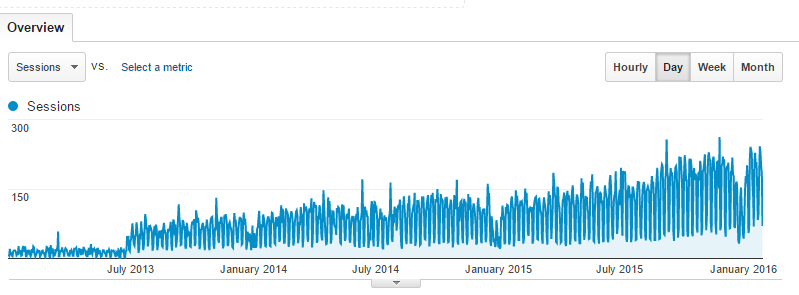
~52000 page views (+40%), ~43000 visits (+48%)
Speaker at 2 major conferences (#C15LV, #UKOUG_TECH15)
Speaker at 2 Trivadis internal conferences
Speaker at 1 local user group event
Delegate of EOUC at DOAG 2015
A total of 14 public speeches (same as 2014)
I’ve been elected RAC SIG Vice President
2 RAC Attack workshops organized
1 roundtable as organizer, 1 panel
2 T-shirt designed as gifts for 2 RAC Attack workshops
2 articles published
Launched the RAC SIG website and the new session agenda
Countless new friends and/or contacts

I hope that 2016 will be as good as 2015

Configuring the MySQL Database Plug-In for Oracle Enterprise Manager 12c

I have blogged in the past about MySQL Enterprise Monitor 3.0 and I was quite happy at the very beginning, but after a while I have to admit that I was missing many of the Oracle Enterprise Manager 12c features.

In particular, MEM 3.0 does not have a usable database. In MEM all the tables are crypted and it is not possible to list, for example, all the targets monitored, nor it is possible via API or REST web services because MEM 3.0 lacks these features.

What makes EM12c a GREAT product comparing to MEM, are many features like blackouts, a usable command line interface (emcli), integrated reporting, scheduler, automatic groups… the list would be just huge.

Luckily, Oracle has officially released a MySQL plugin for EM12c, provided that the EM is at least in version 12.1.0.4.

So I’ve upgraded (a while ago) my customer’s EM12c to 12.1.0.5. and decided to try the plugin.

The first step is to download the last version of plugin for MySQL.

I can verify that you have the last version by going to

Setup -> Extensibility -> Self-Update -> Plugins:

2015-08-19 13_54_00-Plug-ins - Oracle Enterprise Manager

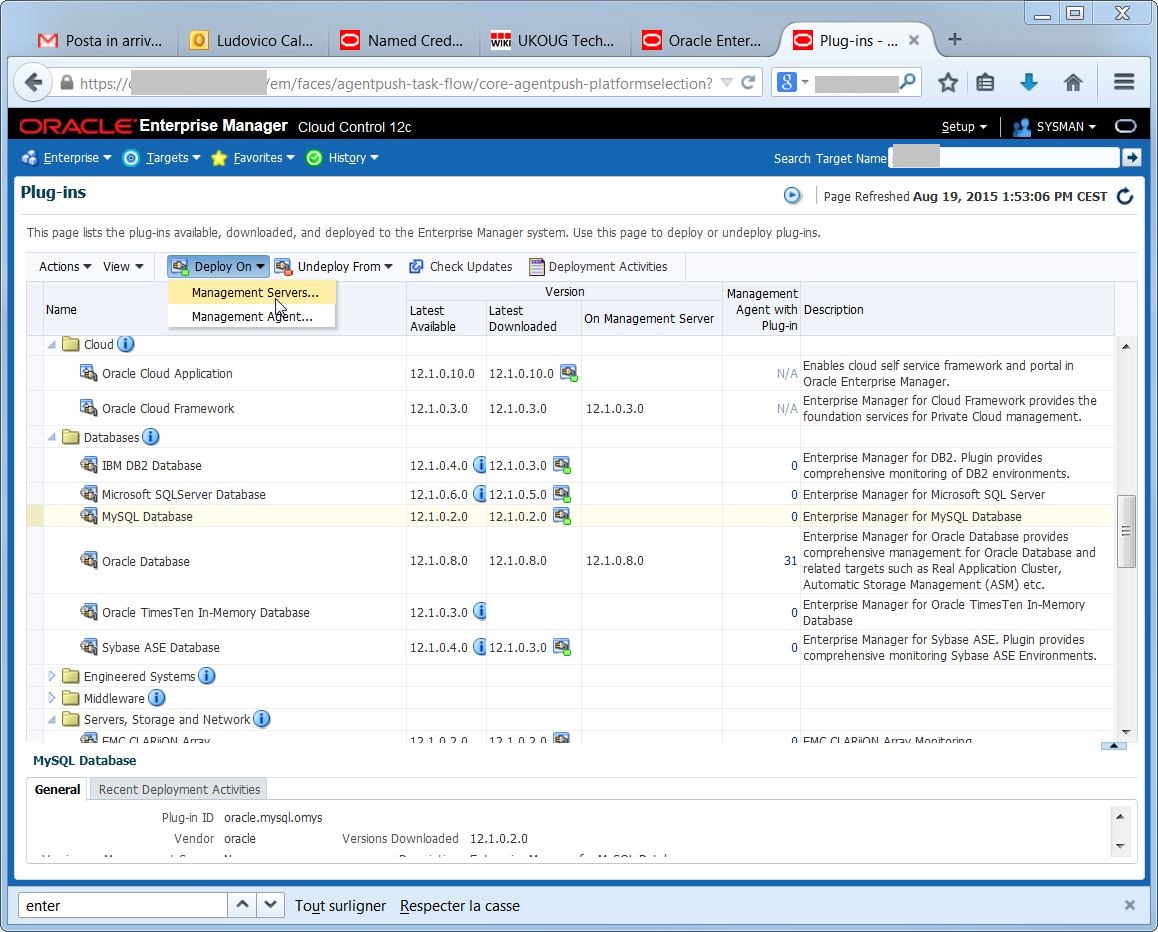
The agent has been downloaded, but in order to make it available on the targets, I first need to deploy it on the management servers (2 OMSes in my case):

2015-08-19 13_54_24-Plug-ins - Oracle Enterprise Manager

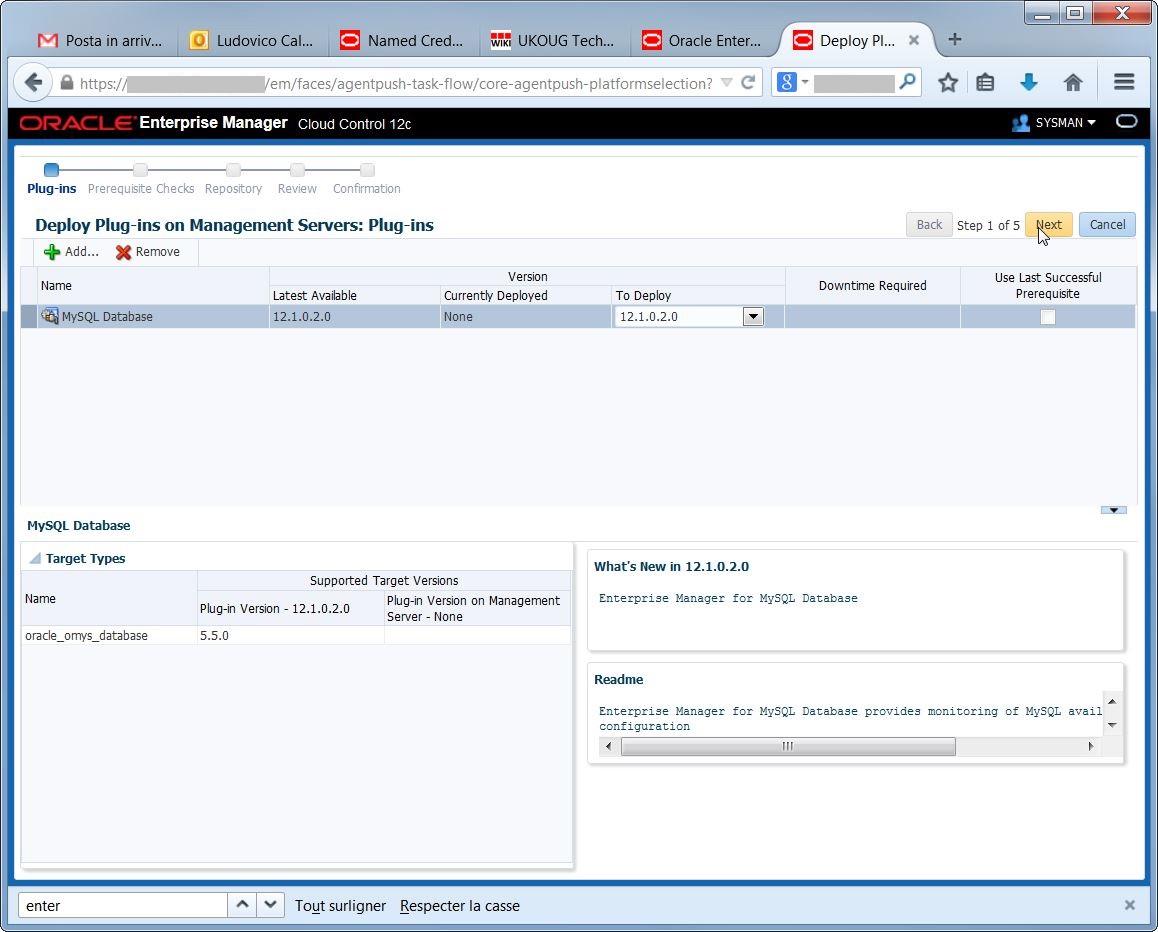
Check the plugin name and version:

2015-08-19 13_54_52-Deploy Plug-ins on Management Servers

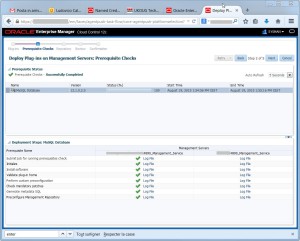
Verify the prerequisites check (here I have one column per OMS):
2015-08-19 13_55_26-Deploy Plug-ins on Management Servers

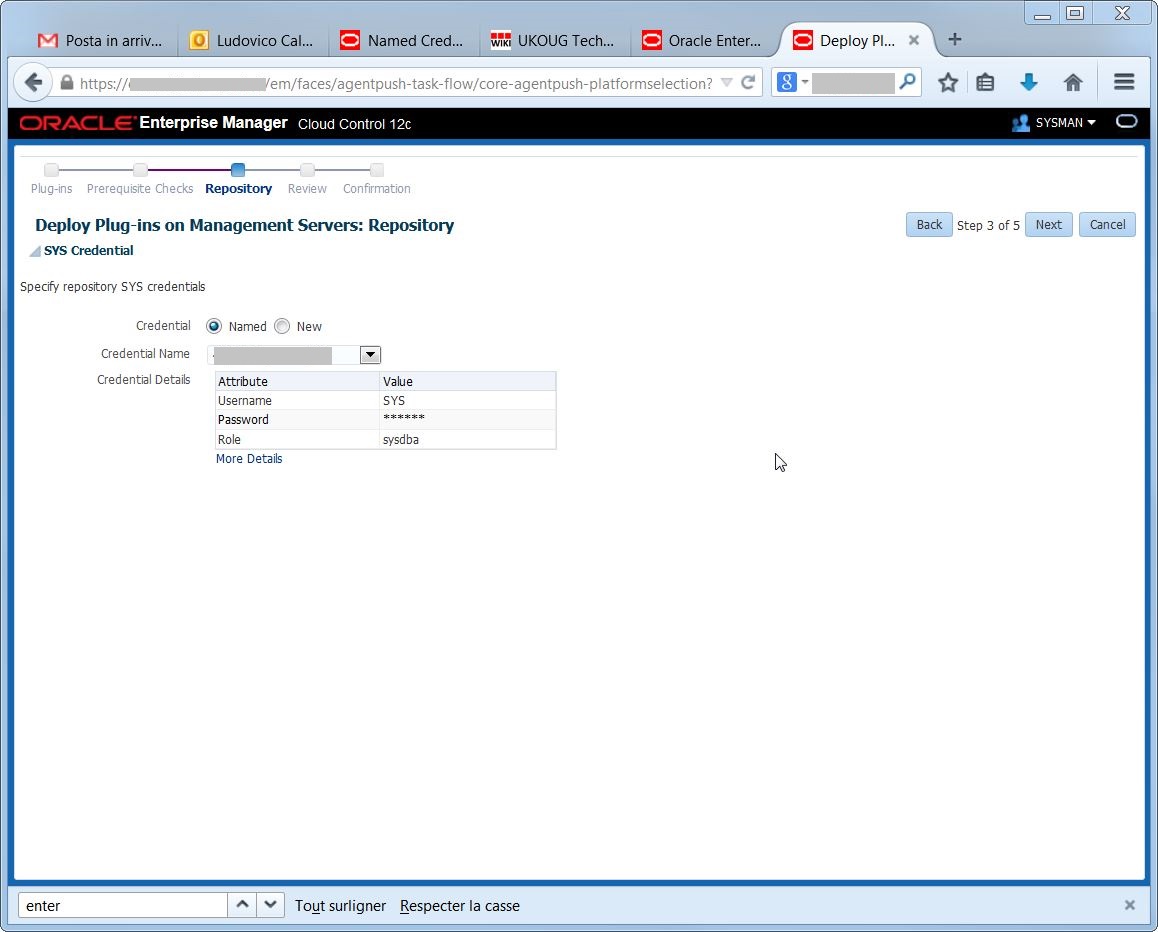
Specify the credentials for the Management Repository:
2015-08-19 13_55_39-Deploy Plug-ins on Management Servers
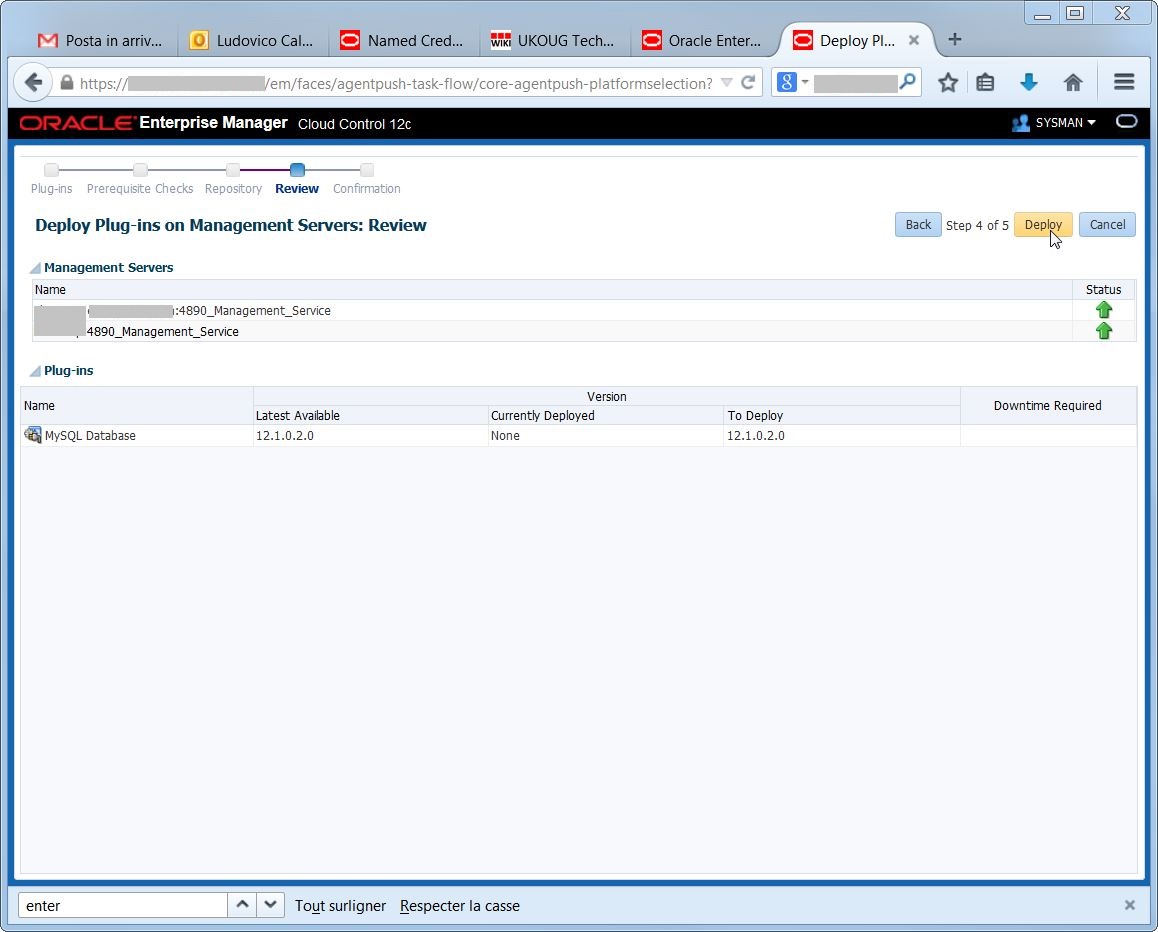
Execute the deploy:

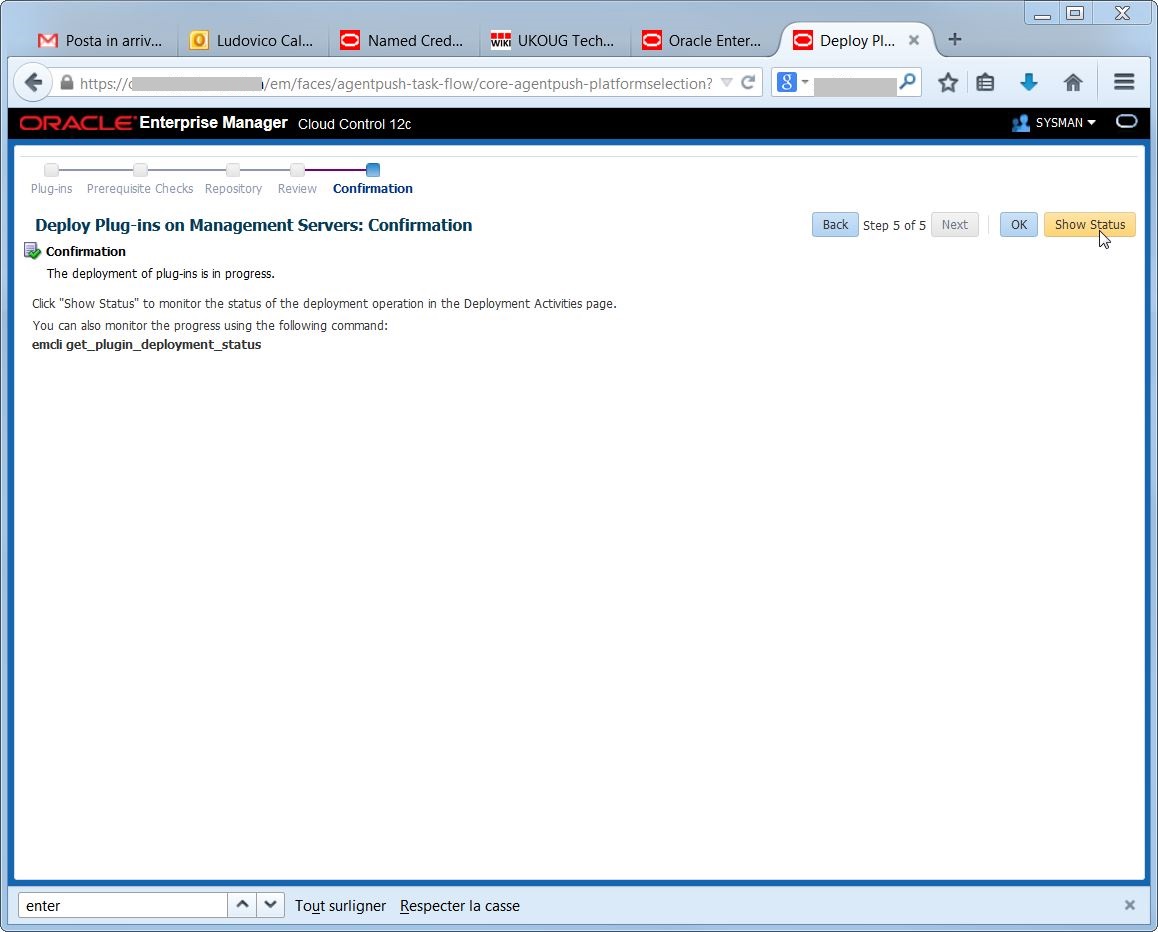
2015-08-19 13_55_52-Deploy Plug-ins on Management Servers     If everything went OK, I’m able to check the status of the deployment:

2015-08-19 13_56_02-Deploy Plug-ins on Management Servers

2015-08-19 13_58_01-Plug-ins - Oracle Enterprise Manager

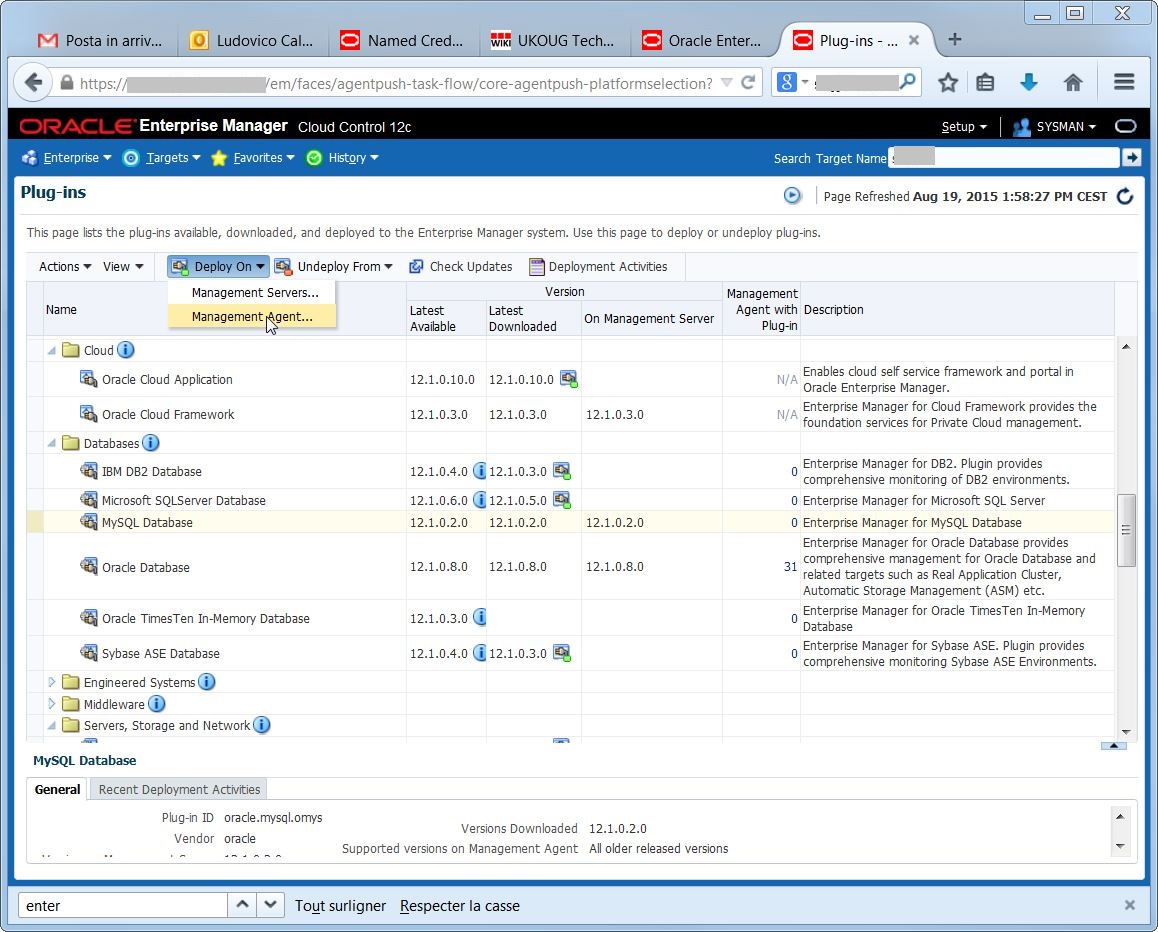
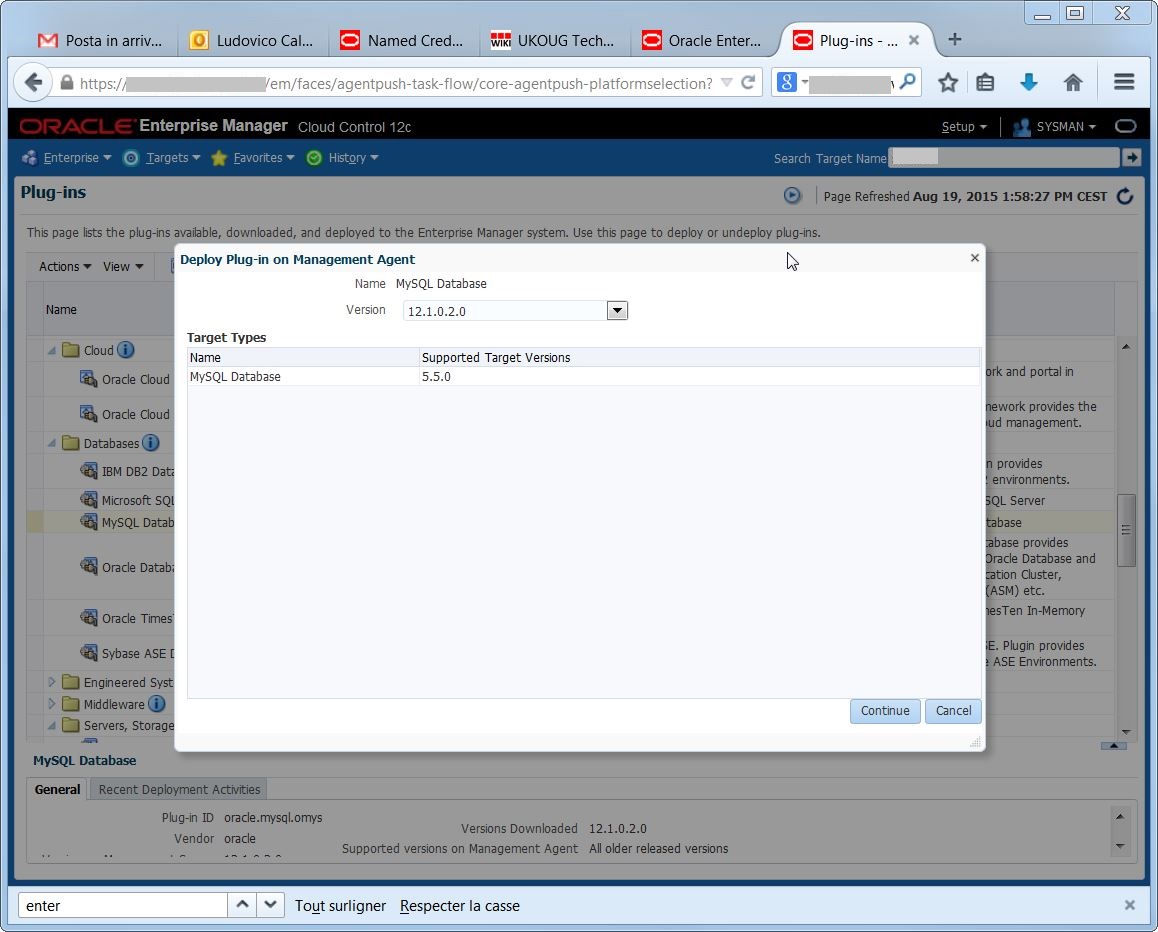
Now I can see that the plugin is correctly deployed on the OMSes, I can do the same for the agents:

2015-08-19 13_58_42-Plug-ins - Oracle Enterprise Manager

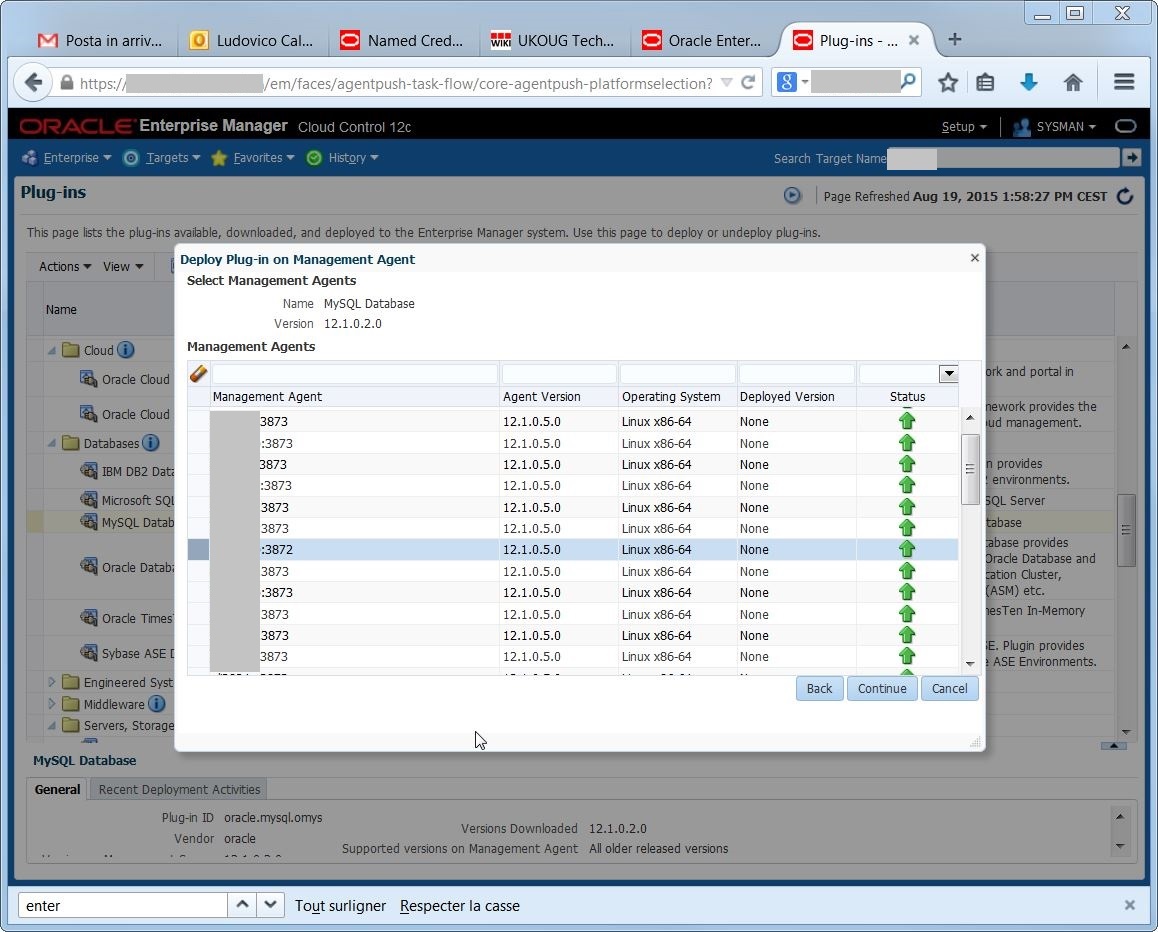
2015-08-19 13_58_57-Plug-ins - Oracle Enterprise ManagerI must select one by one the agents that run on the hosts where I have MySQL running. I may select all agents as well, but it’s better to be neat…

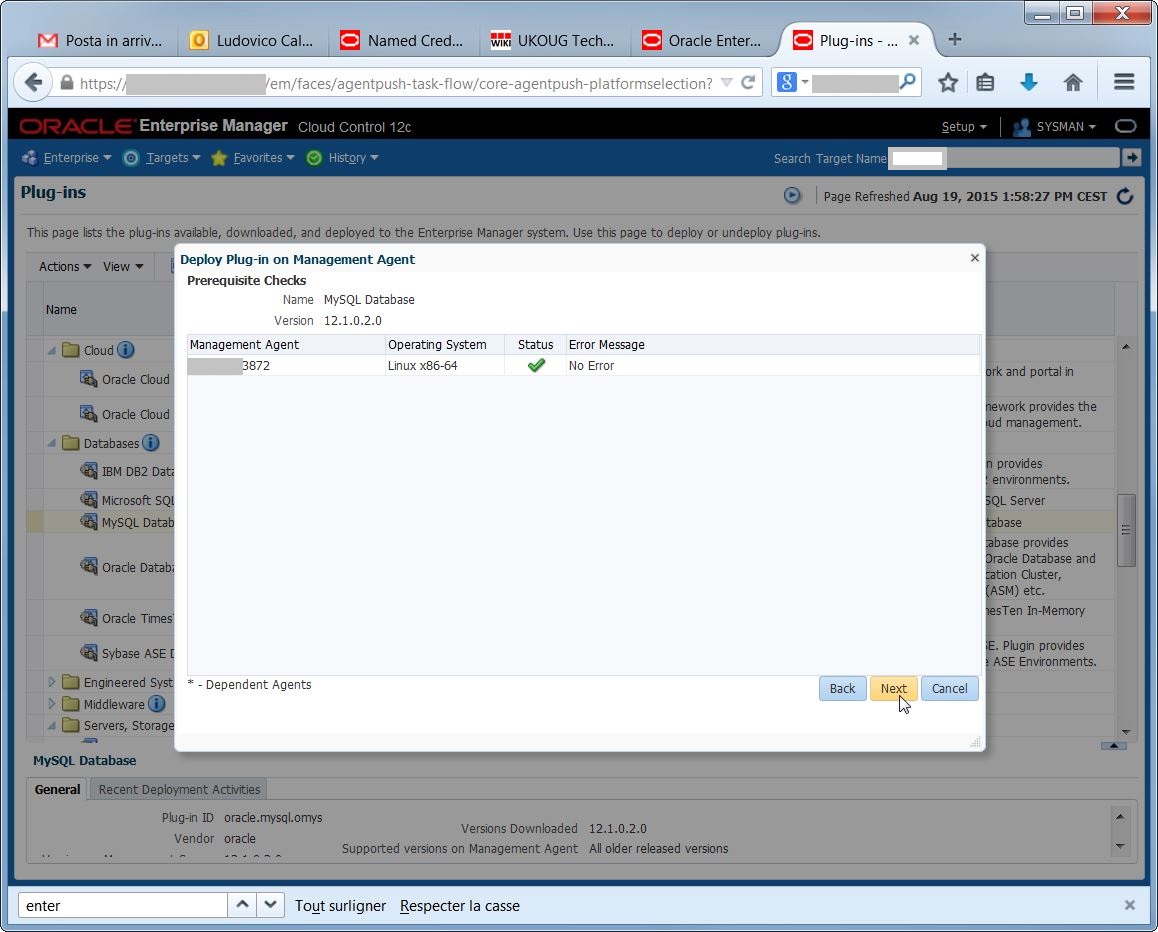
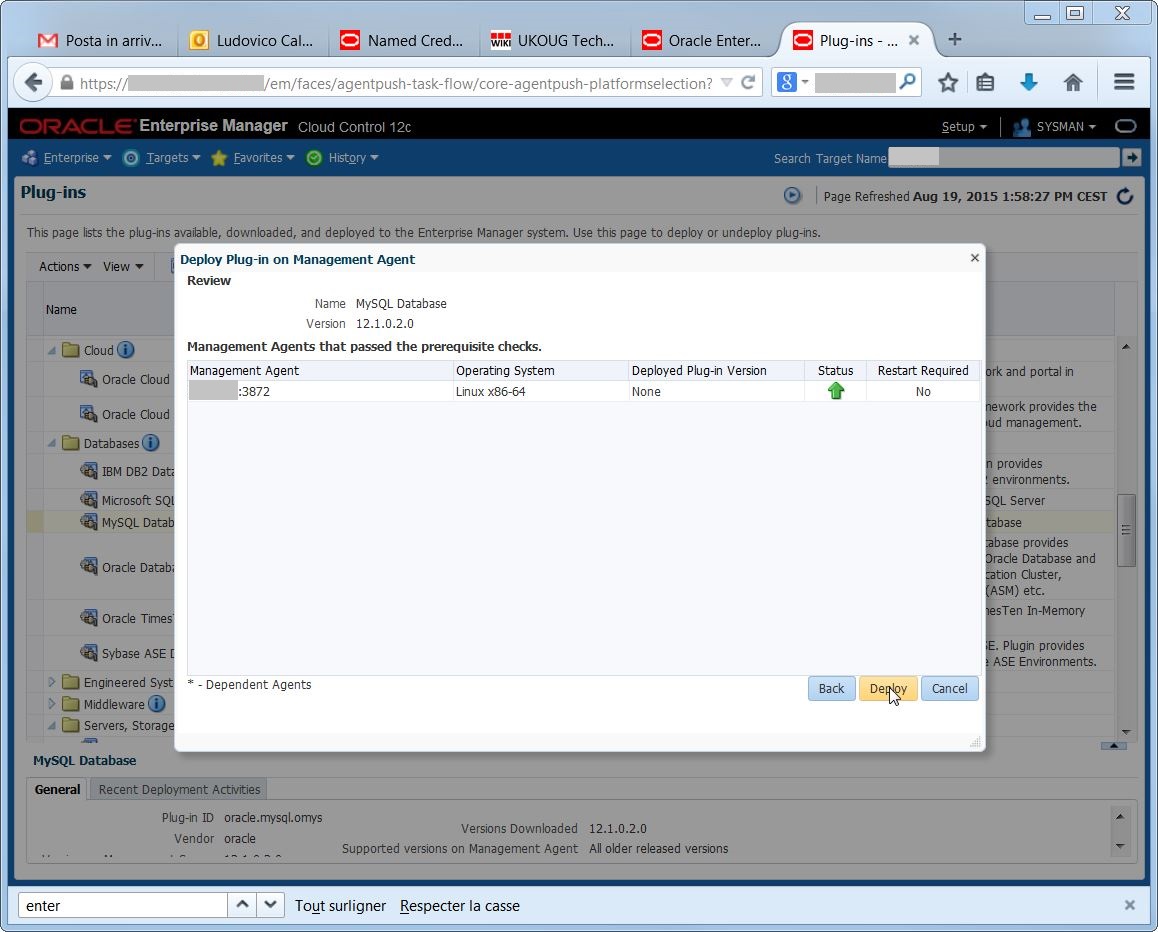
2015-08-19 13_59_35-Plug-ins - Oracle Enterprise Manageragain, there are prerequisite checks and confirmations:

2015-08-19 13_59_48-Plug-ins - Oracle Enterprise Manager

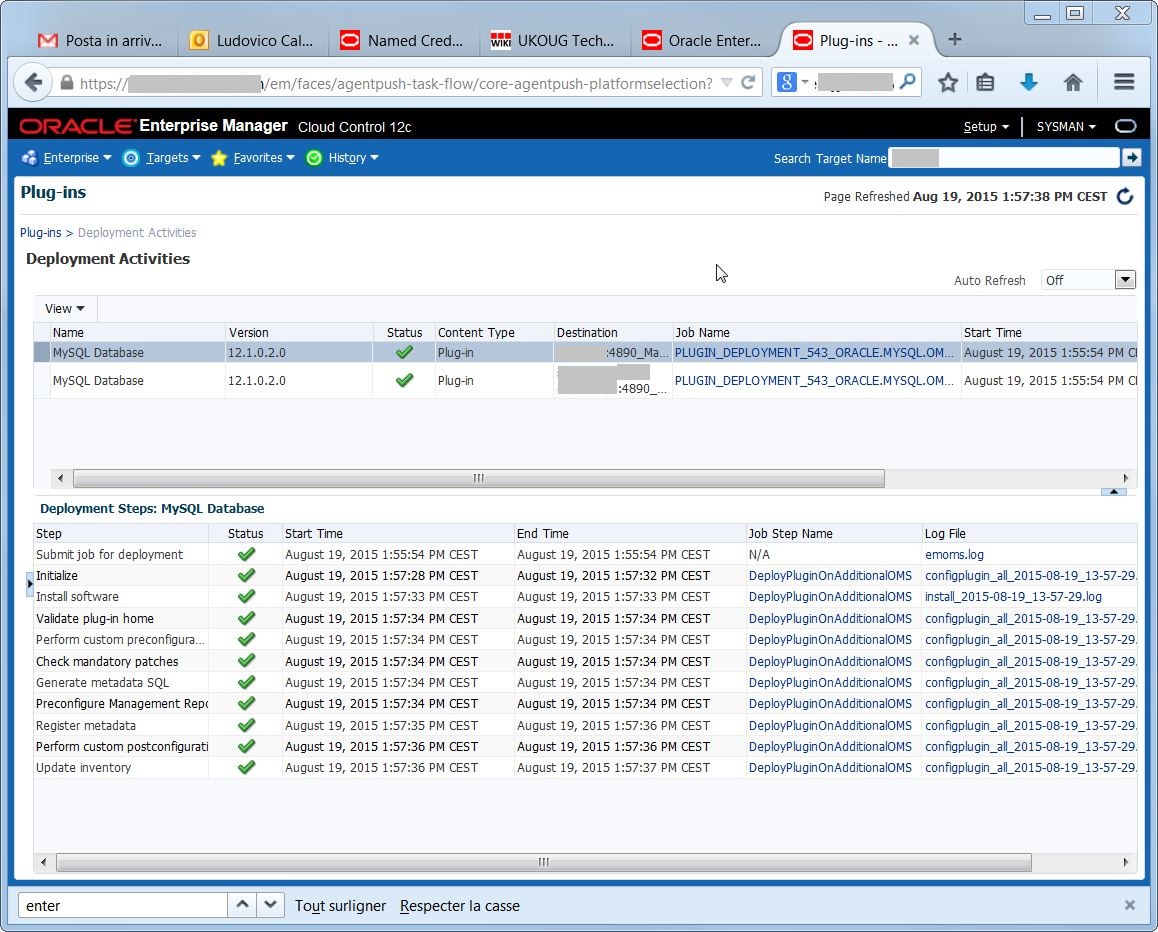
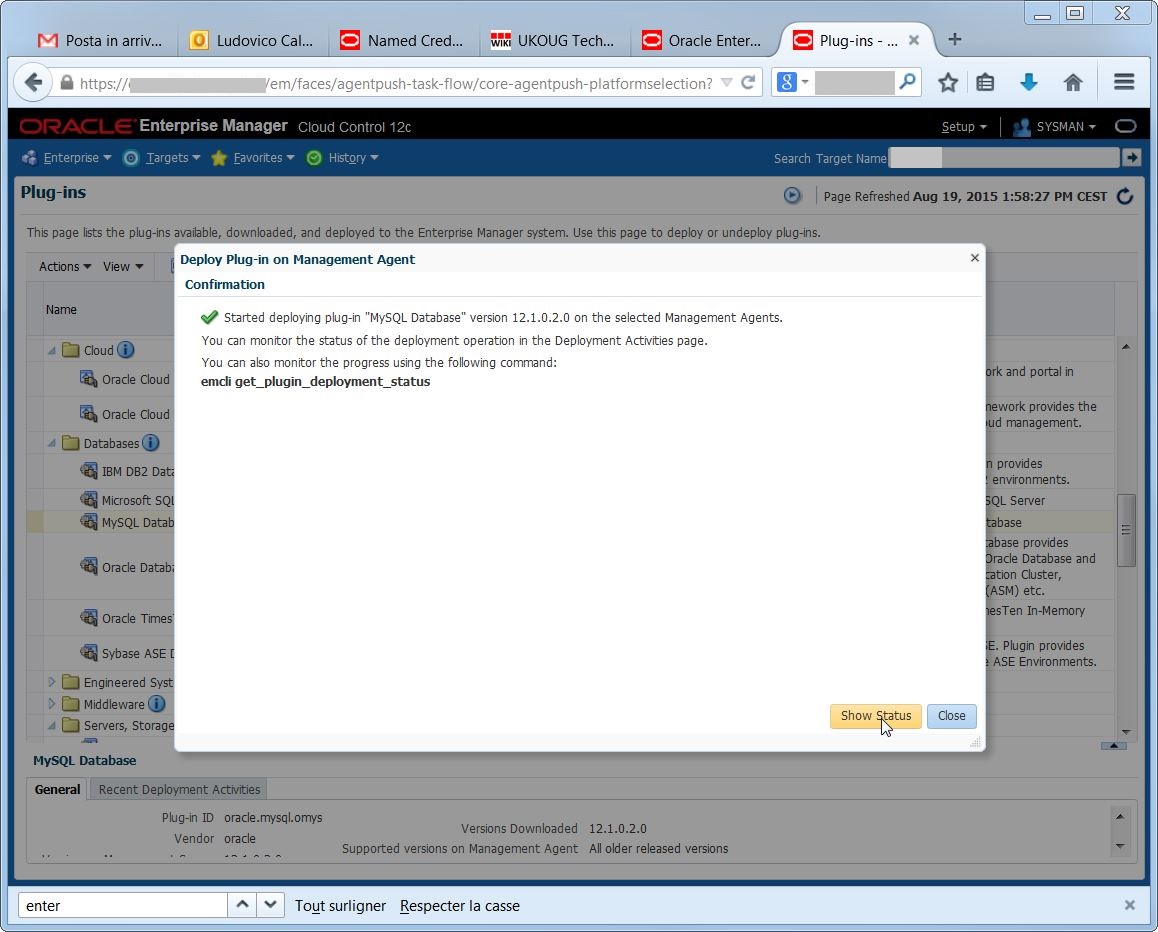
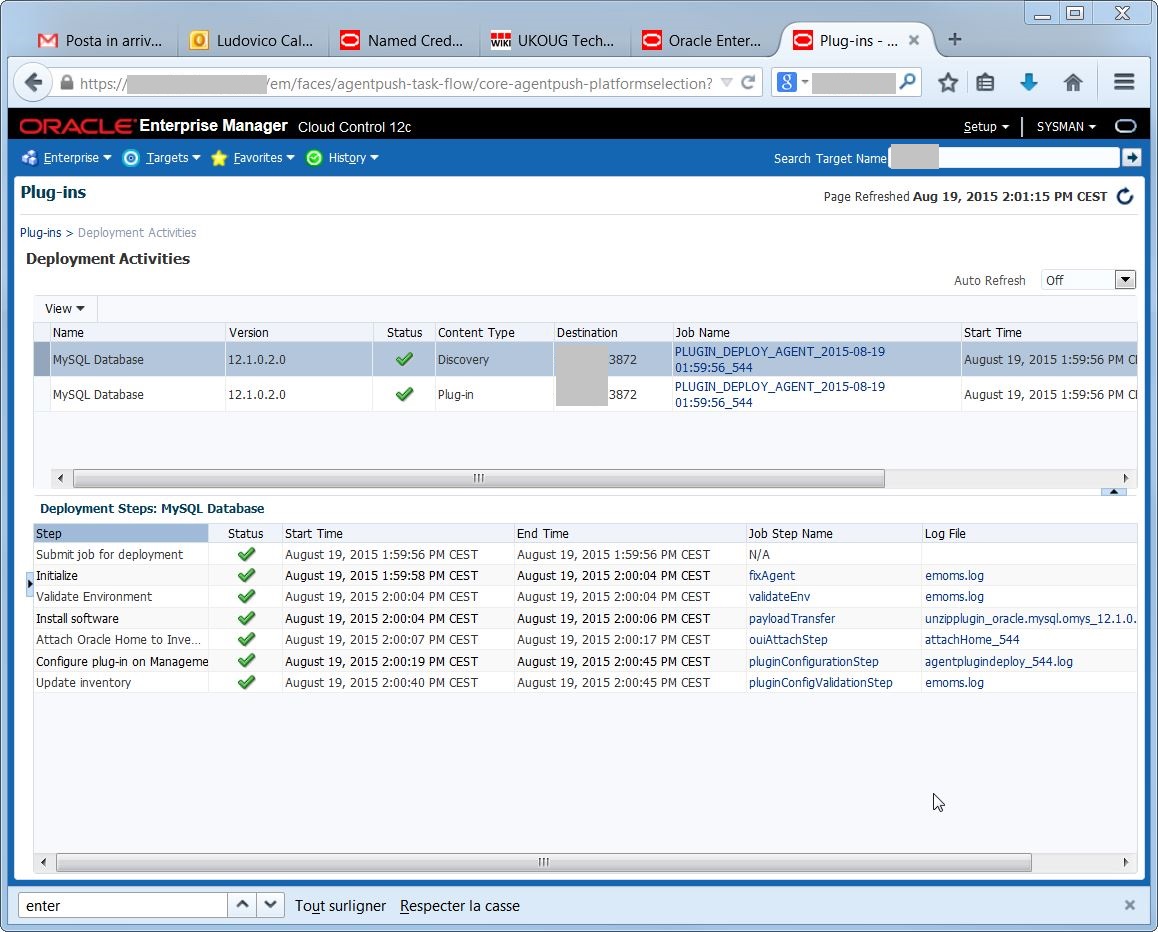
2015-08-19 13_59_54-Plug-ins - Oracle Enterprise ManagerThe plugin deployment went well:

2015-08-19 14_00_02-Plug-ins - Oracle Enterprise Manager

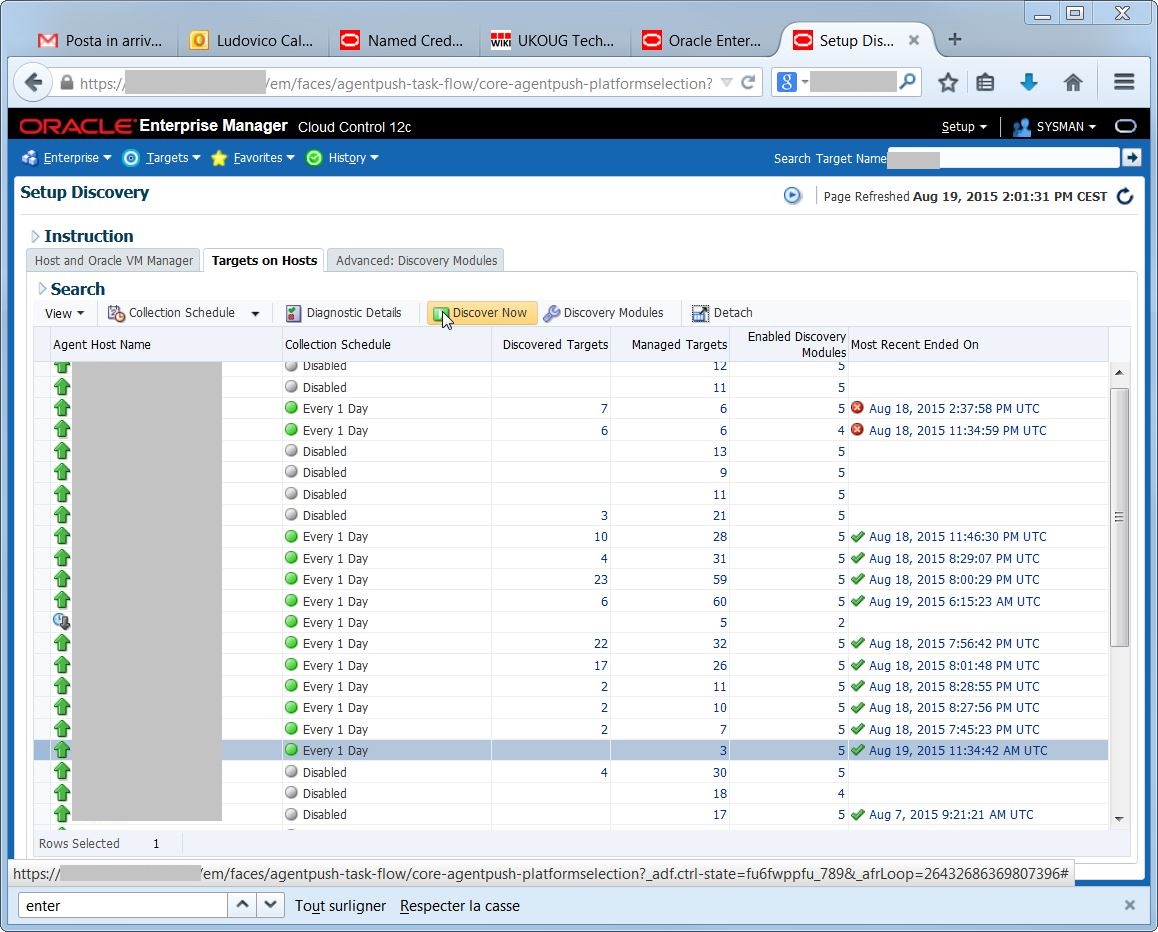
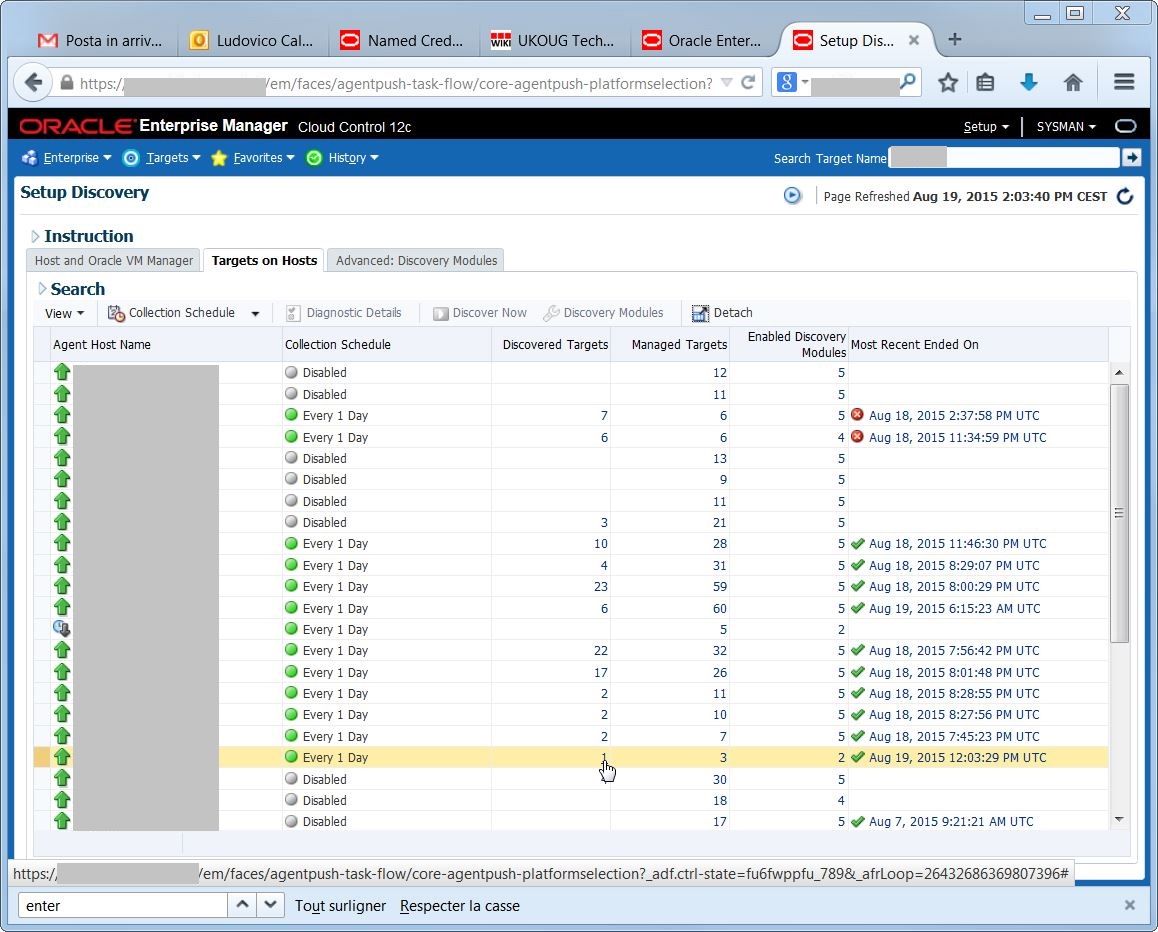
2015-08-19 14_01_25-Plug-ins - Oracle Enterprise ManagerNow I can run the target discovery on the agent:

2015-08-19 14_01_49-Setup Discovery - Oracle Enterprise Manager

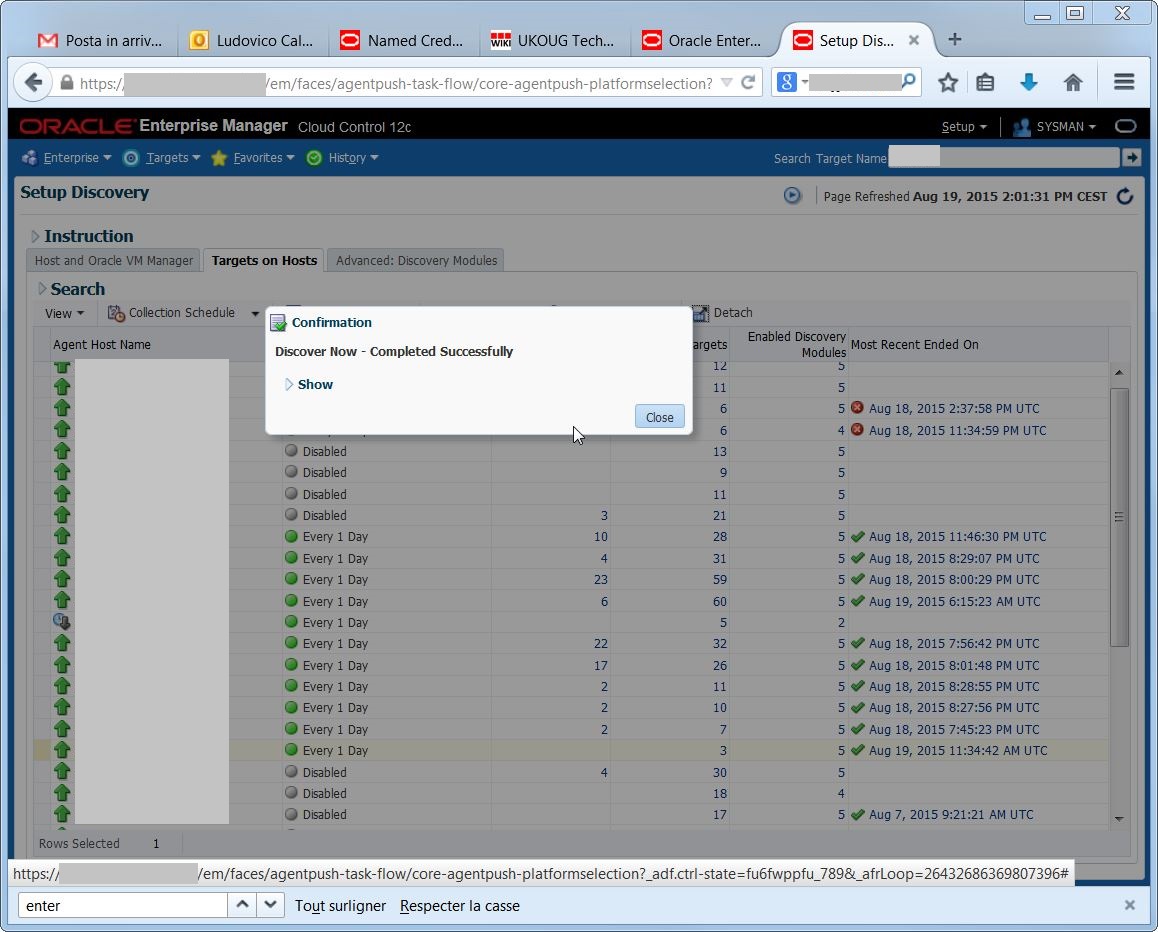
But the discovery does not find my MySQL targets. What went wrong?

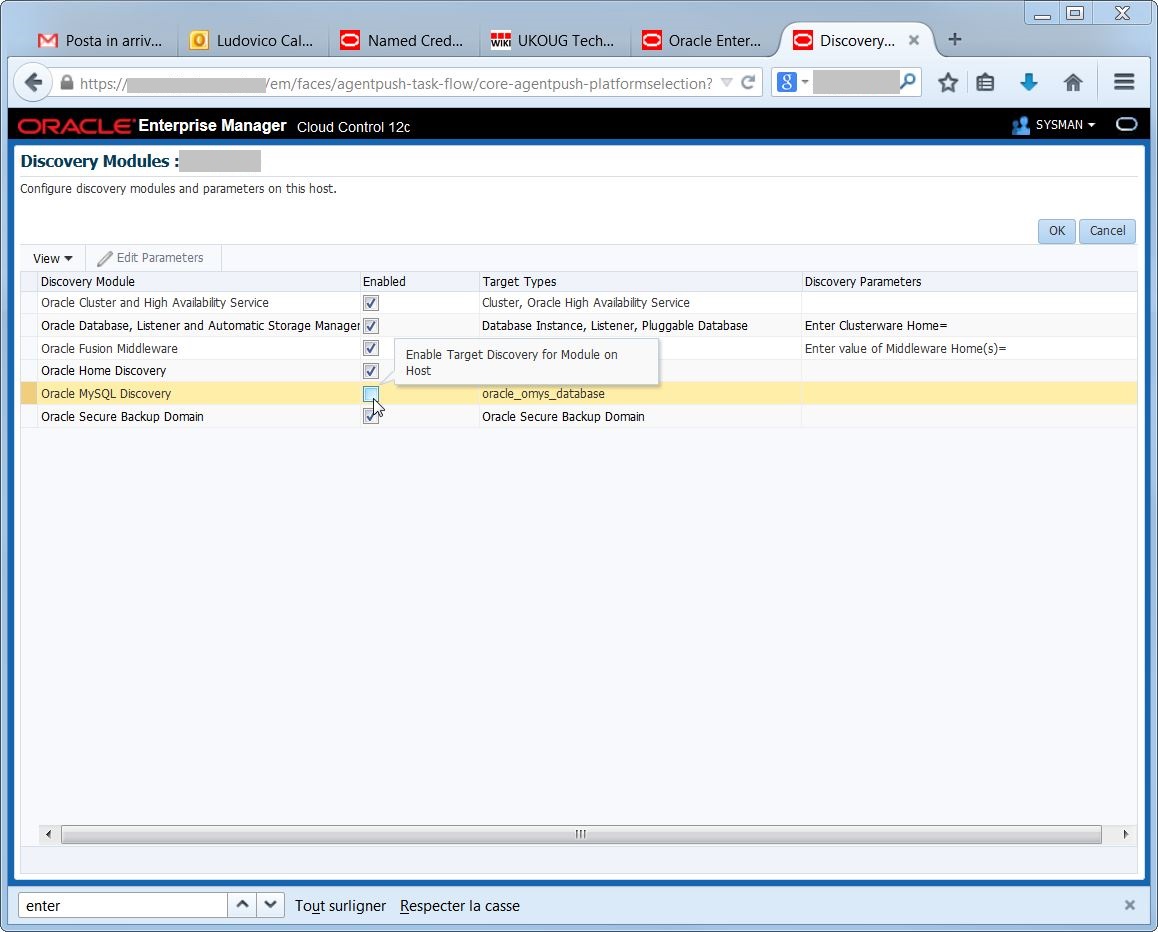
2015-08-19 14_02_19-Setup Discovery - Oracle Enterprise ManagerEach agent has a default list of “discovery modules”  used for the discovery, but by default the MySQL one is not enabled after I install the plugin:

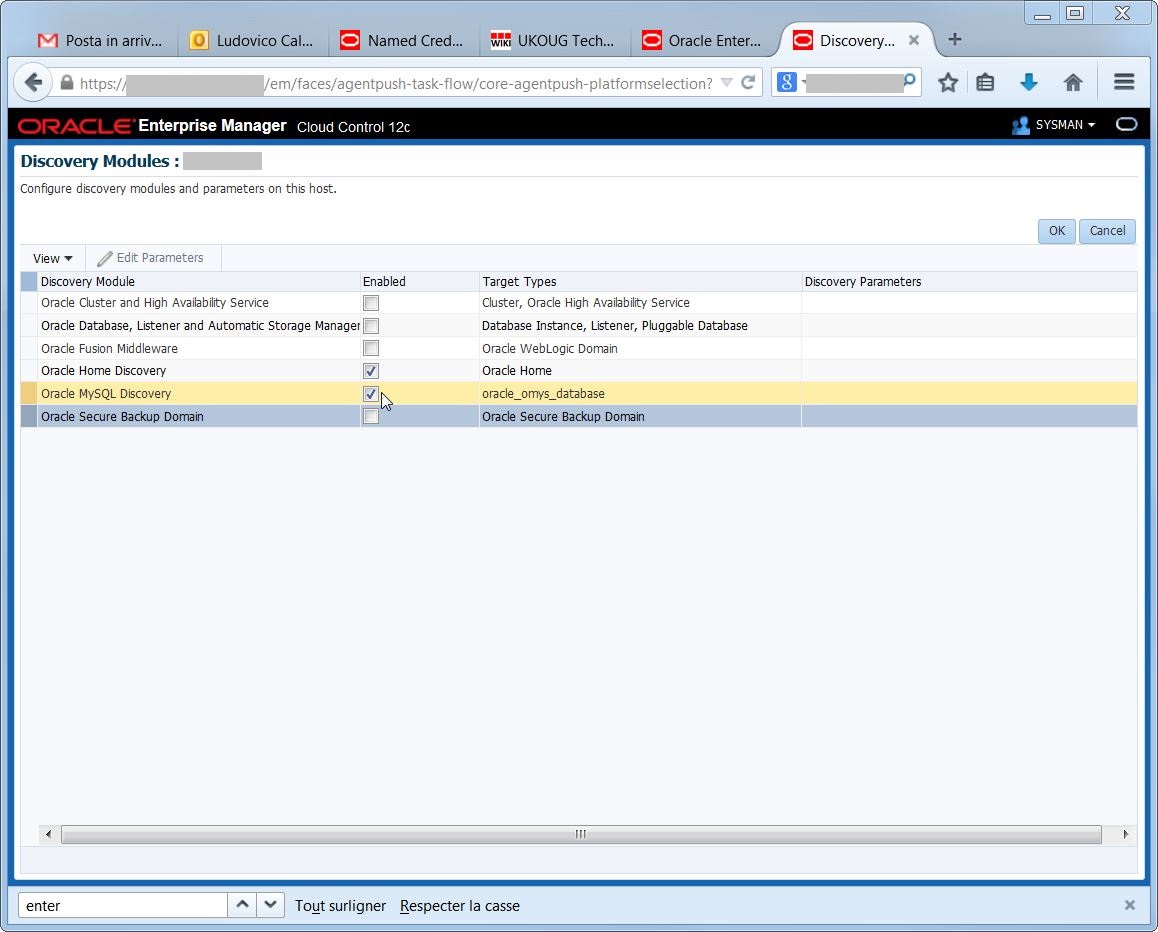
2015-08-19 14_02_50-Discovery Modules_ slv1314p - Oracle Enterprise Managerso it is necessary to activate it and deactivate the discovery modules I do not need:

2015-08-19 14_03_17-Discovery Modules_ slv1314p - Oracle Enterprise ManagerTada! at the next discovery, I have my target available:

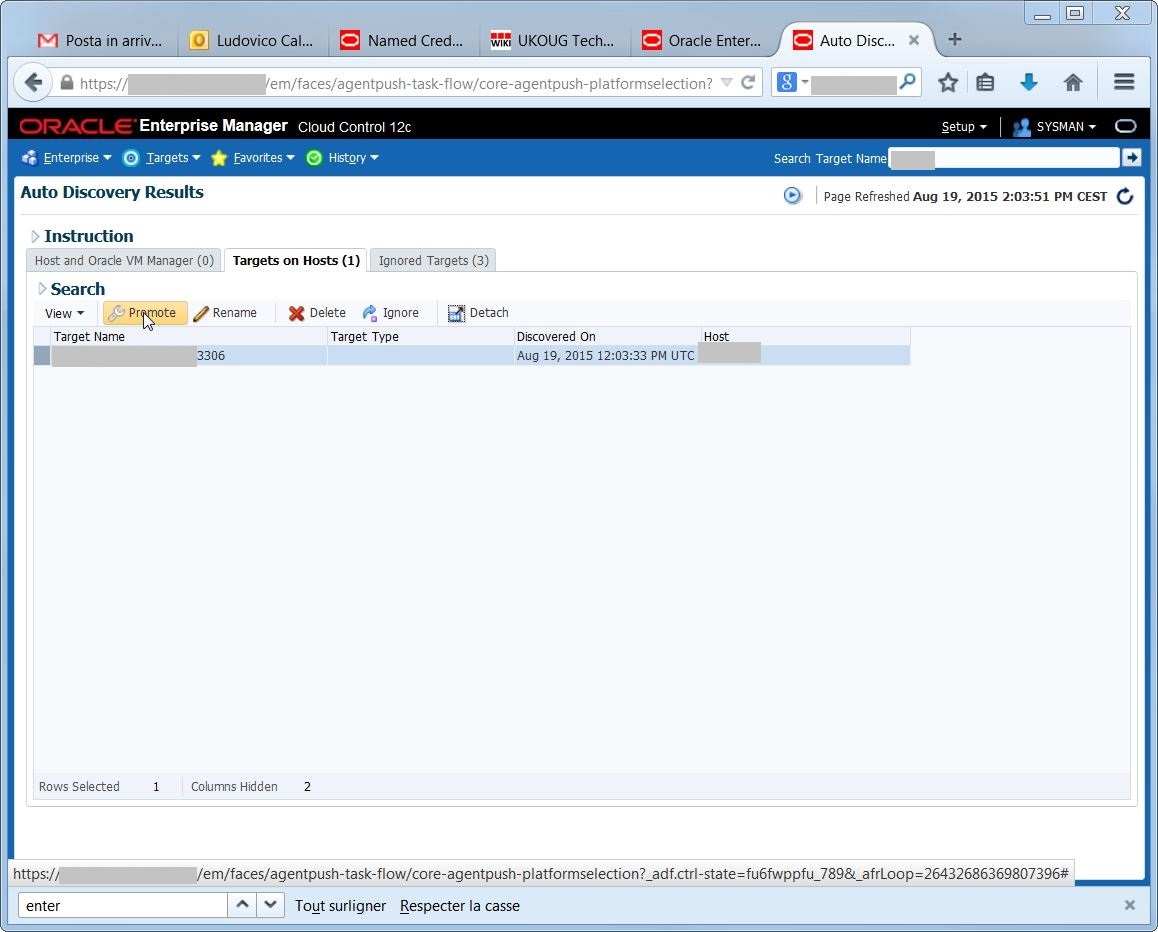
2015-08-19 14_03_48-Setup Discovery - Oracle Enterprise ManagerThe target name is automatically set to hostname:mysqlport:

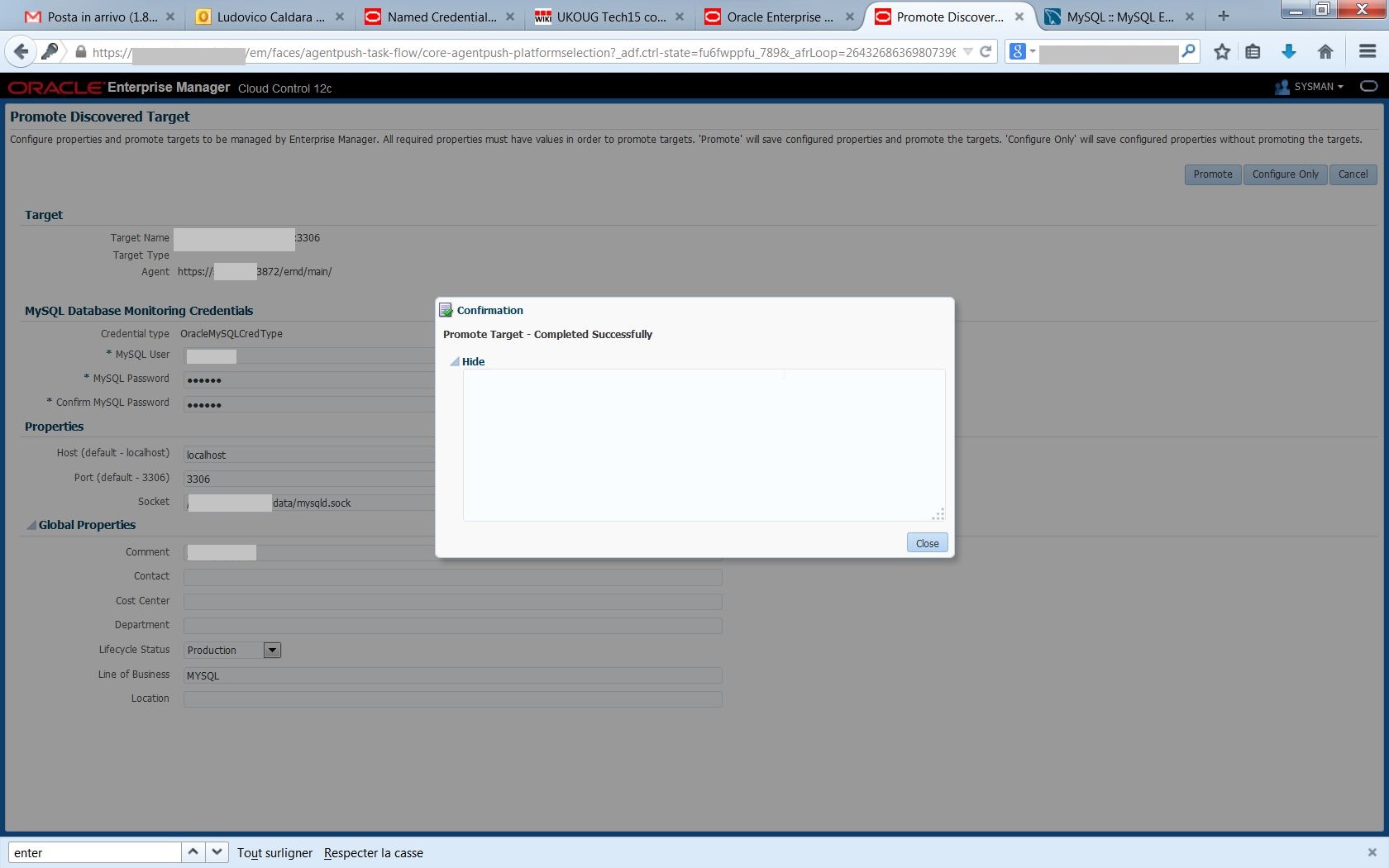
2015-08-19 14_04_01-Auto Discovery Results - Oracle Enterprise Manageras all discovered targets, I need to promote it to have it available for monitoring with EM12c:

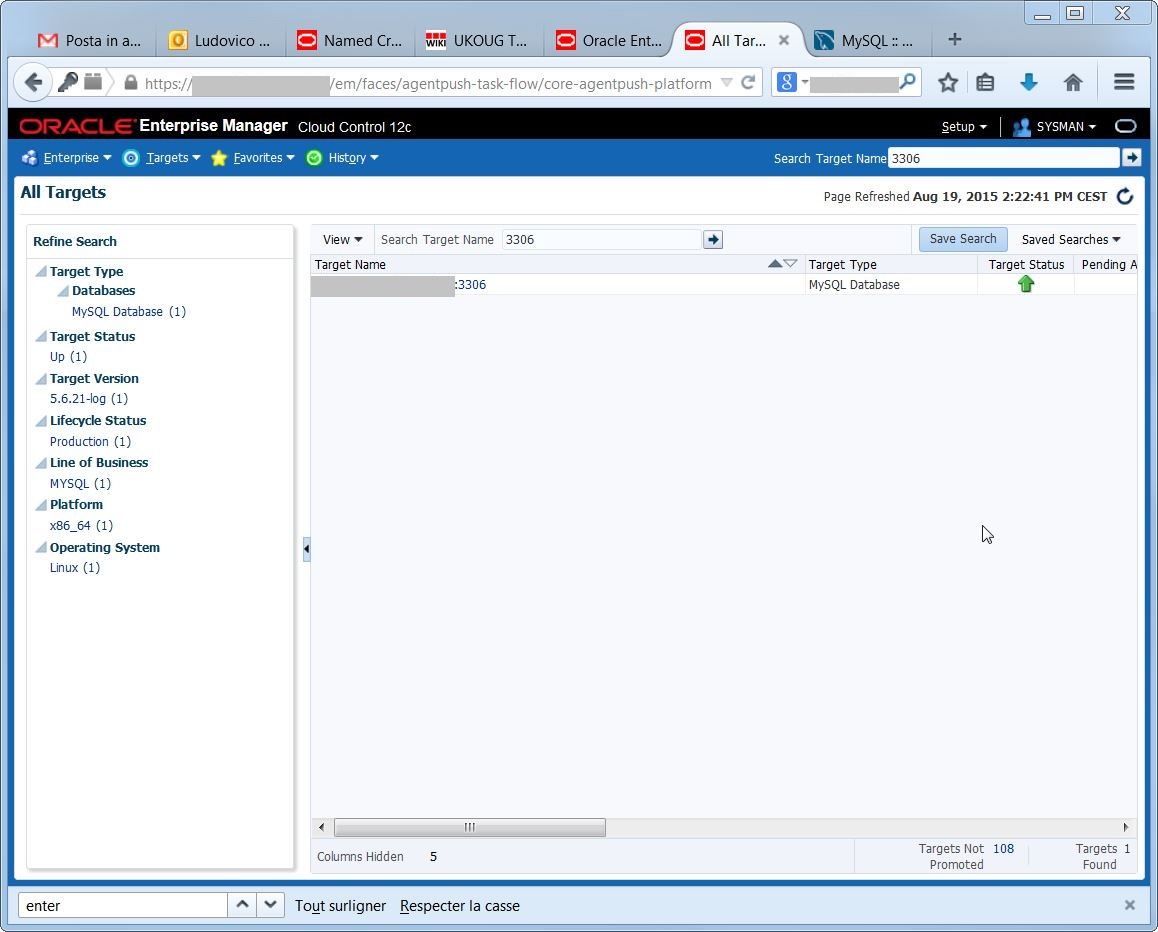
2015-08-19 14_22_07-Promote Discovered Target - Oracle Enterprise ManagerThe target is available, now I can use most of the EM12c features to monitor my MySQL environment.

2015-08-19 14_22_56-All Targets - Oracle Enterprise ManagerHTH

Ludovico

Recording of “Rapid Home Provisioning” webinar for the RAC SIG

Yesterday I have presented the Oracle Rapid Home Provisioning technology for the RAC SIG, you can find the recording on YouTube:

Cheers

Ludo

Rapid Home Provisioning

In a few days I will give a presentation at UKOUG Tech15 about Rapid Home Provisioning, it will be the first time that I present this session in public.

I usually like to give the link to the material to my audience, so here we go:

Slides:

Demo:

Enjoy

Ludovico

Oracle Active Data Guard and Global Data Services in Action!

In a few days I will give a presentation at UKOUG Tech15 about Global Data Services, it will be the first time that I present this session.

I usually like to give the link to the material to my audience, so here we go:

Credits

I have to give special credits to my colleague Robert Bialek. I’ve got a late confirmation for this session and my slide deck was not ready at all, so I have used a big part of his original work. Most of the content included in the slides has been created by Robert, not me. (Thank you for your help! :-))

Slides

Demo recording

Demo script

And the script to revert the demo:

Cheers

Ludovico


Oracle Database on ACFS: a perfect marriage?

Update: I will give this presentation at UKOUG Tech15, Wed 9 December at 14:30.

This presentation has had a very poor score in selections for conferences (no OOW, no DOAG) but people liked it very much at Paris Oracle Meetup.  The Database on ACFS is mainstream now, thanks to the new ODA releases. Having some knowledge about why and how you should run (not) Databases on ACFS is definitely worth a read.

Slides

Demo 1 recording

Demo 2 recording

Demo script (DB ACFS clone from Standby Database)


Comments are, as always, very appreciated 🙂

Ludo

Migrating Oracle RAC from SuSE to OEL (or RHEL) live

I have a customer that needs to migrate its Oracle RAC cluster from SuSE to OEL.

I know, I know, there is a paper from Dell and Oracle named:

How Dell Migrated from SUSE Linux to Oracle Linux

That explains how Dell migrated its many RAC clusters from SuSE to OEL. The problem is that they used a different strategy:

– backup the configuration of the nodes
– then for each node, one at time
– stop the node
– reinstall the OS
– restore the configuration and the Oracle binaries
– relink
– restart

What I want to achieve instead is:
add one OEL node to the SuSE cluster as new node
– remove one SuSE node from the now-mixed cluster
– install/restore/relink the RDBMS software (RAC) on the new node
– move the RAC instances to the new node (taking care to NOT run more than the number of licensed nodes/CPUs at any time)
– repeat (for the remaining nodes)

because the customer will also migrate to new hardware.

In order to test this migration path, I’ve set up a SINGLE NODE cluster (if it works for one node, it will for two or more).

I have to setup the new node addition carefully, mainly as I would do with a traditional node addition:

  • Add new ip addresses (public, private, vip) to the DNS/hosts
  • Install the new OEL server
  • Keep the same user and groups (uid, gid, etc)
  • Verify the network connectivity and setup SSH equivalence
  • Check that the multicast connection is ok
  • Add the storage, configure persistent naming (udev) and verify that the disks (major, minor, names) are the very same
  • The network cards also must be the very same

Once the new host ready, the cluvfy stage -pre nodeadd will likely fail due to

  • Kernel release mismatch
  • Package mismatch

Here’s an example of output:

So the problem is not if the check succeed or not (it will not), but what fails.

Solving all the problems not related to the difference SuSE-OEL is crucial, because the addNode.sh will fail with the same errors.  I need to run it using -ignorePrereqs and -ignoreSysPrereqs switches. Let’s see how it works:

Then, as stated by the addNode.sh, I run the root.sh and I expect it to work:

Bingo! Let’s check if everything is up and running:

So yes, it works, but remember that it’s not a supported long-term configuration.

In my case I expect to migrate the whole cluster from SLES to OEL in one day.

NOTE: using OEL6 as new target is easy because the interface names do not change. The new OEL7 interface naming changes, if you need to migrate without cluster downtime you need to setup the new OEL7 nodes following this post: http://ask.xmodulo.com/change-network-interface-name-centos7.html

Otherwise, you need to configure a new interface name for the cluster with oifcfg.

HTH

Ludovico