The slides of my presentation about Policy-managed databases. I’ve used them to present at Collaborate14 (#C14LV).
The same abstract has been refused by OOW14 and UKOUG_TECH14 selection committees, so it’s time to publish them 🙂

The slides of my presentation about Policy-managed databases. I’ve used them to present at Collaborate14 (#C14LV).
The same abstract has been refused by OOW14 and UKOUG_TECH14 selection committees, so it’s time to publish them 🙂
As I’ve written in my previous post, the inmemory_size parameter is static, so you need to restart your instance to activate it or change its size. Let’s try to set it at 600M.
|
1 2 3 4 5 6 7 8 9 10 11 12 13 14 15 16 17 18 19 20 21 22 23 24 25 26 27 |
SQL> show parameter inmem NAME TYPE VALUE ------------------------------------ ----------- ------------------------------ inmemory_clause_default string inmemory_force string DEFAULT inmemory_query string ENABLE inmemory_size big integer 0 SQL> alter system set inmemory_size=600M scope=spfile; SQL> shutdown ... SQL> startup ... SQL> show parameter inmem NAME TYPE VALUE ------------------------------------ ----------- ------------------------------ inmemory_clause_default string inmemory_force string DEFAULT inmemory_query string ENABLE inmemory_size big integer 608M |
First interesting thing: it has been rounded to 608M so it works in chunks of 16M. (to be verified)
Which views can you select for further information?
|
1 2 3 4 5 6 7 8 9 10 11 12 13 14 15 16 |
SQL> select view_name from dba_views where view_name like 'V_$IM%'; VIEW_NAME -------------------------------------------------------------------------------- V_$IM_SEGMENTS_DETAIL V_$IM_SEGMENTS V_$IM_USER_SEGMENTS V_$IM_TBS_EXT_MAP V_$IM_SEG_EXT_MAP V_$IM_HEADER V_$IM_COL_CU V_$IM_SMU_HEAD V_$IM_SMU_CHUNK V_$IM_COLUMN_LEVEL 10 rows selected |
V$IM_SEGMENTS gives a few information about the segments that have a columnar version, including the segment size, the actual memory allocated, the population status and other compression indicators.
The other views help understand the various memory chunks and the status for each column in the segment.
Let’s create a table with a few records:
|
1 2 3 4 5 6 7 8 9 10 11 12 13 14 15 16 17 18 19 20 21 22 23 24 25 26 27 28 29 30 31 32 |
SQL> create table ludovico.tinmem as select a.OWNER , a.TABLE_NAME , b.owner owner2, b.table_name table_name2, a.TABLESPACE_NAME , a.STATUS , a.PCT_FREE , a.PCT_USED , a.INI_TRANS , a.MAX_TRANS , a.INITIAL_EXTENT , a.NEXT_EXTENT , a.MIN_EXTENTS , a.MAX_EXTENTS , a.PCT_INCREASE , a.FREELISTS , a.FREELIST_GROUPS , a.LOGGING 22 from all_tables a, all_tables b; Table created. SQL> select count(*) from ludovico.tinmem; COUNT(*) ---------- 5470921 SQL> |
The table is very simple, it’s a cartesian of two “all_tables” views.
Let’s also create an index on it:
|
1 2 3 4 5 6 7 8 |
SQL> create index ludovico.tinmem_ix1 on ludovico.tinmem (table_name, pct_increase); SQL> select segment_name, bytes/1024/1024 from dba_segments where owner='LUDOVICO'; SEGMENT_NAME BYTES/1024/1024 ----------------- --------------- TINMEM 621 TINMEM_IX1 192 |
The table uses 621M and the index 192M.
How long does it take to do a full table scan almost from disk?
|
1 2 3 4 5 6 7 8 9 |
SQL> select distinct tablespace_name from ludovico.tinmem order by 1; TABLESPACE_NAME ------------------------------ SYSAUX SYSTEM USERS Elapsed: 00:00:15.05 |
15 seconds! Ok, I’m this virtual machine is on an external drive 5400 RPM… 🙁
Once the table is fully cached in the buffer cache, the query performance progressively improves to ~1 sec.
|
1 2 3 4 5 6 7 8 9 10 11 12 13 14 15 16 17 18 19 20 21 22 |
SQL> r 1* select distinct tablespace_name from ludovico.tinmem order by 1 TABLESPACE_NAME ------------------------------ SYSAUX SYSTEM USERS Elapsed: 00:00:01.42 SQL> r 1* select distinct tablespace_name from ludovico.tinmem order by 1 TABLESPACE_NAME ------------------------------ SYSAUX SYSTEM USERS Elapsed: 00:00:00.99 |
There is no inmemory segment yet:
|
1 2 3 4 5 |
SQL> SELECT OWNER, SEGMENT_NAME, INMEMORY_PRIORITY, INMEMORY_COMPRESSION 2 FROM V$IM_SEGMENTS; no rows selected |
You have to specify it at table level:
|
1 2 3 4 5 6 7 8 9 10 11 12 13 14 15 16 |
SQL> alter table ludovico.tinmem inmemory; Table altered. SQL> SELECT OWNER, SEGMENT_NAME, INMEMORY_PRIORITY, INMEMORY_COMPRESSION FROM V$IM_SEGMENTS; 2 OWNER -------------------------------------------------------------------------------- SEGMENT_NAME -------------------------------------------------------------------------------- INMEMORY INMEMORY_COMPRESS -------- ----------------- LUDOVICO TINMEM HIGH FOR QUERY |
The actual creation of the columnar store takes a while, especially if you don’t specify to create it with high priority. You may have to query the table before seeing the columnar store and its population will also take some time and increase the overall load of the database (on my VBox VM, the performance overhead of columnar store population is NOT negligible).
Once the in-memory store created, the optimizer is ready to use it:
|
1 2 3 4 5 6 7 8 9 10 11 12 13 14 15 16 17 18 19 20 |
SQL> explain plan for select distinct tablespace_name from ludovico.tinmem order by 1; Explained. SQL> SELECT PLAN_TABLE_OUTPUT FROM TABLE(DBMS_XPLAN.DISPLAY()); PLAN_TABLE_OUTPUT ------------------------------------------------------------------------------------------------------------------------------------------------------------------------------------ Plan hash value: 1243998285 -------------------------------------------------------------------------------------- | Id | Operation | Name | Rows | Bytes | Cost (%CPU)| Time | -------------------------------------------------------------------------------------- | 0 | SELECT STATEMENT | | 1 | 13 | 26132 (2)| 00:00:02 | | 1 | SORT UNIQUE | | 1 | 13 | 25993 (1)| 00:00:02 | | 2 | TABLE ACCESS INMEMORY FULL| TINMEM | 5470K| 67M| 26 (100)| 00:00:01 | -------------------------------------------------------------------------------------- 9 rows selected. |
The previous query now takes half the time on the first attempt!
|
1 2 3 4 5 6 7 8 9 |
SQL> select distinct tablespace_name from ludovico.tinmem order by 1; TABLESPACE_NAME ------------------------------ SYSAUX SYSTEM USERS Elapsed: 00:00:00.50 |
The columnar store for the whole table uses 23M out of 621M, so the compression ratio is very good compared to the non-compressed index previously created!
|
1 2 3 4 5 6 7 8 9 |
SQL> select OWNER, SEGMENT_NAME, SEGMENT_TYPE, INMEMORY_SIZE, BYTES, BYTES_NOT_POPULATED, INMEMORY_PRIORITY, INMEMORY_DISTRIBUTE, INMEMORY_COMPRESSION 2 from V$IM_SEGMENTS; OWNER SEGMENT_NAME SEGMENT_TYPE INMEMORY_SIZE BYTES BYTES_NOT_POPULATED INMEMORY INMEMORY_DISTRI INMEMORY_COMPRESS -------- ------------ ------------ ------------- --------- ------------------- -------- --------------- ----------------- LUDOVICO TINMEM TABLE 23527424 651165696 0 HIGH AUTO DISTRIBUTE FOR QUERY Elapsed: 00:00:00.07 |
This is a very short example. The result here (2x improvement) is influenced by several factors. It is safe to think that with “normal” production conditions the gain will be much higher in almost all the cases.
I just wanted to demonstrate that in-memory columnar store is space efficient and really provides higher speed out of the box.
Now that you know about it, can you live without? 😛
Oracle Database 12.1.0.2 is finally out, and as we all knew in advance, it contains the new in-memory option.
I think that, despite its cost ($23k per processor), this is another great improvement! 🙂
Consistent savings!
This new feature is not to be confused with Times Ten. In-memory is a feature that enable a new memory area inside the SGA that is used to contain a columnar organized copy of segments entirely in memory. Columnar stores organize the data as columns instead of rows and they are ideal for queries that involve a few columns on many rows, e.g. for analytic reports, but they work great also for all extemporary queries that cannot make use of existing indexes.
Columnar stores don’t replace traditional indexes for data integrity or fast single-row look-ups, but they can replace many additional indexes created for the solely purpose of reporting. Hence, if from one side it seems a waste of memory, on the other side using in-memory can lead to consistent memory savings due to all the indexes that have no more reason to exist.
Let’s take an example of a table (in RED) with nine indexes (other colors).

If you try to imagine all the blocks in the buffer cache, you may think about something like this:

Now, with the in-memory columnar store, you can get the rid of many indexes because they’ve been created just for reporting and they are now superseded by the performance of the new feature:

In this case, you’re not only saving blocks on disk, but also in the buffer cache, making room for the in-memory area. With columnar store, the compression factor may allow to easily fit your entire table in the same space that was previously required for a few, query-specific indexes. So you’ll have the buffer cache with traditional row-organized blocks (red, yellow, light and dark blue) and the separate in-memory area with a columnar copy of the segment (gray).
The in-memory store doesn’t make use of undo segments and redo buffer, so you’re also saving undo block buffers and physical I/O!
The added value
In my opinion this option will have much more attention from the customers than Multitenant for a very simple reason.
How many customers (in percentage) would pay to achieve better consolidation of hundreds of databases? A few.
How many would pay or are already paying for having better performance for critical applications? Almost all the customers I know!
Internal mechanisms
In-memory is enabled on a per-segment basis: you can specify a table or a partition to be stored in-memory.
Each column is organized in separate chunks of memory called In Memory Compression Units (IMCU). The number of IMCUs required for each column may vary.
Each IMCU contains the data of the column and a journal used to guarantee read consistency with the blocks in the buffer cache. The data is not modified on the fly in the IMCU, but the row it refers to is marked as stale in a journal that is stored inside the IMCU itself. When the stale data grows above a certain threshold the space efficiency of the columnar store decreases and the in-memory coordinator process ([imco]) may force a re-population of the store.
Re-population may also occur after manual intervention or at the instance startup: because it is memory-only, the data actually need to be populated in the in-memory store from disk.
Whether the data is populated immediately after the startup or not, it actually depends on the priority specified for the specific segment. The higher the priority, the sooner the segment will be populated in-memory. The priority attribute also drives which segments would survive in-memory in case of “in-memory pressure”. Sadly, the parameter inmemory_size that specifies the size of the in-memory area is static and an instance restart is required in order to change it, that’s why you need to plan carefully the size prior to its activation. There is a compression advisor for in-memory that can help out on this.
Conclusion
In this post you’ve seen a small introduction about in-memory. I hope I can publish very soon another post with a few practical examples.
 Après Oracle Open World, IOUG Collaborate et d’autres grandes conférences, RAC Attack arrive également à Genève! Installez l’environnement Oracle 12c RAC sur votre laptop. Des volontaires expérimentés (ninjas) vous aideront à résoudre
toutes les énigmes apparentés et vous guideront à travers le processus
d’installation.
Ninjas
Ludovico Caldara – Oracle ACE, RAC SIG European Chair & RAC Attack co-writer
Luca Canali – OAK Table Member & frequent speaker
Eric Grancher – OAK Table member
Jacques Kostic – OCM 11g & Senior Consultant at Trivadis
Où? nouveaux bureaux Trivadis, Chemin Château-Bloch 11, CH1219 Geneva
Quand? Mercredi 17 September 2014, dès 17h00
Coût? C’est un évènement GRATUIT! C’est un atelier communautaire, plaisant et
informel. Vous n’avez qu’à apporter votre laptop et votre bonne humeur!
Inscription: TVD_LS_ADMIN@trivadis.com
Places limitées! Réservez votre place & votre T-shirt dès à présent: TVD_LS_ADMIN@trivadis.com
 Agenda:
17.00 – Bienvenue
17.30 – RAC Attack 12c – 1ere partie
19.30 – Pizza et Bières! (sponsorisés par Trivadis)
20.00 – RAC Attack 12c – 2eme partie
22.00 – distribution des T-shirt et photo de groupe!!
TRES IMPORTANT: La participation à cet évènement requière l’apport de votre propre laptop!
Spécifications requises:
a) 64 bit OS qui supporte Oracle Virtual Box
b) 8GB RAM, 50GB free HDD space.
En raison de contraintes juridiques, merci de télécharger à l’avance Oracle Database 12c ainsi que Grid Infrastructure pour Linux x86-64 depuis https://edelivery.oracle.com/ (et pour
plus d’informations : http://goo.gl/pqavYh).
After Oracle Open World, IOUG Collaborate and all major conferences, RAC Attack comes to Geneva! Set up Oracle 12c RAC environment on your laptop. Experienced volunteers (ninjas) will help you address any related issues and guide you through the setup process.
Ninjas
Ludovico Caldara – Oracle ACE, RAC SIG European Chair & RAC Attack co-writer
Luca Canali – OAK Table Member and frequent speaker
Eric Grancher – OAK Table member
Jacques Kostic – OCM 11g & Senior Consultant at Trivadis
Where? new Trivadis office, Chemin Château-Bloch 11, CH1219 Geneva
When? Wednesday September 17th 2014, from 17h00 onwards
Cost? It is a FREE event! It is a community based, informal and enjoyable workshop.
You just need to bring your laptop and your desire to have fun!
Registration: TVD_LS_ADMIN@trivadis.com
Limited places! Reserve your seat and T-shirt now: TVD_LS_ADMIN@trivadis.com
Agenda:
17.00 – Welcome
17.30 – RAC Attack 12c part I
19.30 – Pizza and Beers! (kindly sponsored by Trivadis)
20.00 – RAC Attack 12c part II
22.00 – T-shirt distribution and group photo!!
VERY IMPORTANT: To participate in the workshop, you need to bring your own laptop.
Required specification:
a) any 64 bit OS that supports Oracle Virtual Box
b) 8GB RAM, 50GB free HDD space.
Due to legal constraints, please pre-download Oracle Database 12c and Grid Infrastructure for Linux x86-64 from https://edelivery.oracle.com/ web site (further
information here: http://goo.gl/pqavYh).
I’ve been accepted for the Oracle ACE award, I’m an Oracle ACE!
This is the welcome tweet from the official @oracleace account (I’m supposed to be @ludodba here):
And now please welcome the newest #oracleace @ludodba @rimblas @mRainey @vinaykuma201 and Bingyang Li. Congrats… http://t.co/GE0EYZoB1R
— Oracle ACE Program (@oracleace) June 11, 2014
It would not have been possible without many ACE and Oracle friends and mentors, in particular Bjoern, Yury, Chris, Osama and Laura. Thank you guys!
I would be the second Italian Oracle ACE if it wasn’t that I’m based in Switzerland now, and after all, in Italy I would not have boosted my community contribution like I’ve done in the past two years… so many thanks also to this beautiful country (Switzerland) and to Trivadis that supports my activities 😉
I’m looking forward to contribute more and with better content 🙂
Oracle has introduced Extended Data Types in 12c. If you still don’t know what they are and how enable them, refer to the awesome oracle-base blog or the official documentation.
Here, I’ll show where they are stored, and when.
Tables created with extended varchar2 (length >4000)
If the table is created with a varchar2 length above 4000, a LOBSEGMENT and a LOBINDEX segments are also created automatically. But actually, the rows inserted may be short enough to be stored inline.
|
1 2 3 4 5 6 7 8 9 10 11 12 13 14 15 16 17 18 19 20 21 22 23 |
SQL> create table ludovico.t32k2 (a number, b varchar2(20000)); Table created. SQL> DECLARE j number; BEGIN FOR j IN 1..1000 LOOP INSERT INTO ludovico.t32k2 values (j, RPAD('LONGSTRING',100,'*') ); END LOOP; END; / 2 3 4 5 6 7 8 9 PL/SQL procedure successfully completed. SQL> select segment_name, segment_type, bytes, blocks from dba_segments where owner='LUDOVICO'; SEGMENT_NAME SEGMENT_TYPE BYTES BLOCKS ------------------------------ ------------------ ---------- ---------- T32K2 TABLE 196608 24 SYS_IL0000096543C00002$$ LOBINDEX 65536 8 SYS_LOB0000096543C00002$$ LOBSEGMENT 131072 16 |
As you can see from the previous output, the LOB segments are almost empty after 1000 rows inserted, whereas the table has 24 blocks. Not enough to be a proof. Let’s try to update the rows with a column size of 1000:
|
1 2 3 4 5 6 7 8 9 10 11 12 13 14 15 |
SQL> update ludovico.t32k2 set b=RPAD('LONGSTRING',1000,'*'); 1000 rows updated. SQL> commit; Commit complete. SQL> select segment_name, segment_type, bytes, blocks from dba_segments where owner='LUDOVICO'; SEGMENT_NAME SEGMENT_TYPE BYTES BLOCKS ------------------------------ ------------------ ---------- ---------- T32K2 TABLE 2097152 256 SYS_IL0000096537C00002$$ LOBINDEX 65536 8 SYS_LOB0000096537C00002$$ LOBSEGMENT 131072 16 |
A-ah! The row size is increasing but the blocks are actually allocated in the table segment, this prove that the rows are stored inline!
Where’s the break point? When the rows will be migrated to the out-of-line storage?
|
1 2 3 4 5 6 7 8 9 10 11 12 13 14 15 16 17 18 19 20 21 22 23 24 25 26 27 28 29 30 31 32 33 34 35 36 37 38 39 40 41 42 43 44 45 46 47 48 49 |
SQL> update ludovico.t32k2 set b=RPAD('LONGSTRING',3950,'*'); 1000 rows updated. SQL> commit; Commit complete. SQL> select segment_name, segment_type, bytes, blocks from dba_segments where owner='LUDOVICO'; SEGMENT_NAME SEGMENT_TYPE BYTES BLOCKS ----------------------------- ------------------ ---------- ---------- SYS_LOB0000096549C00002$$ LOBSEGMENT 131072 16 SYS_IL0000096549C00002$$ LOBINDEX 65536 8 T32K2 TABLE 8388608 1024 SQL> update ludovico.t32k2 set b=RPAD('LONGSTRING',3960,'*'); 1000 rows updated. SQL> commit; Commit complete. SQL> select segment_name, segment_type, bytes, blocks from dba_segments where owner='LUDOVICO'; SEGMENT_NAME SEGMENT_TYPE BYTES BLOCKS ----------------------------- ------------------ ---------- ---------- SYS_LOB0000096549C00002$$ LOBSEGMENT 131072 16 SYS_IL0000096549C00002$$ LOBINDEX 65536 8 T32K2 TABLE 8388608 1024 SQL> update ludovico.t32k2 set b=RPAD('LONGSTRING',3970,'*'); 1000 rows updated. SQL> commit; Commit complete. SQL> select segment_name, segment_type, bytes, blocks from dba_segments where owner='LUDOVICO'; SEGMENT_NAME SEGMENT_TYPE BYTES BLOCKS ---------------------------- ------------------ ---------- ---------- SYS_LOB0000096549C00002$$ LOBSEGMENT 10682368 1304 <<<<<<<<< HERE! SYS_IL0000096549C00002$$ LOBINDEX 65536 8 T32K2 TABLE 8388608 1024 SQL> |
Actually, it’s somewhere between 3960 and 3970 bytes, but it may depend on other factors (I havn’t tested it deeply).
Lesson learned: when you design your table with extended types, you should plan how many rows you expect with a size below 4000, because they can make your row access slower and chained rows higher than expected.
Tables created with standard varchar2 and altered afterward
Let’s try almost the same excercise, but this time starting with a table created with a small length (lower than 4000) and altered afterward to make use of the extended size.
|
1 2 3 4 5 6 7 8 9 10 11 12 13 14 15 16 17 18 19 20 21 22 23 24 25 26 27 28 29 30 31 32 33 34 35 |
SQL> create table ludovico.t32k (a number, b varchar2(500)); Table created. SQL> SQL> DECLARE 2 j number; 3 BEGIN 4 FOR j IN 1..1000 5 LOOP 6 INSERT INTO ludovico.t32k values (j, RPAD('LONGSTRING',100,'*') ); 7 END LOOP; 8 END; 9 / PL/SQL procedure successfully completed. SQL> select count(*) from ludovico.t32k; COUNT(*) ---------- 1000 SQL> exec dbms_stats.gather_table_stats('LUDOVICO','T32K'); PL/SQL procedure successfully completed. SQL> select TABLE_NAME, OBJECT_TYPE, NUM_ROWS, BLOCKS, 2 EMPTY_BLOCKS, AVG_ROW_LEN from dba_tab_statistics 3 where owner='LUDOVICO'; TABLE_NAME OBJECT_TYPE NUM_ROWS BLOCKS EMPTY_BLOCKS AVG_ROW_LEN ---------- ------------ ---------- ---------- ------------ ----------- T32K TABLE 1000 24 0 105 |
So far, so good. Let’s try to extend the column:
|
1 2 3 4 5 6 7 8 9 |
SQL> alter table ludovico.t32k modify (b varchar2(20000)); Table altered. SQL> select segment_name, segment_type, bytes, blocks from dba_segments where owner='LUDOVICO'; SEGMENT_NAME SEGMENT_TYPE BYTES BLOCKS --------------- ------------------ ---------- ---------- T32K TABLE 196608 24 |
The LOB segments have not been created. Meaning that the rows are still stored inline. Let’s try then to update all the rows to a size above 4000:
|
1 2 3 4 5 6 7 8 9 10 11 12 13 |
SQL> update ludovico.t32k set b=RPAD('LONGSTRING',15000 ,'*') ; 1000 rows updated. SQL> commit; Commit complete. SQL> select segment_name, segment_type, bytes, blocks from dba_segments where owner='LUDOVICO'; SEGMENT_NAME SEGMENT_TYPE BYTES BLOCKS --------------- ------------------ ---------- ---------- T32K TABLE 16777216 2048 |
The blocks have grown in the table segment, the rows are still inline!!
|
1 2 3 4 5 6 7 8 9 |
SQL> analyze table ludovico.t32k list chained rows into chained_rows; Table analyzed. SQL> select count(*) from chained_rows; COUNT(*) ---------- 1000 |
This lead to a huge amount of chained rows!! In this example, 2 blocks per row, but it can be as high as 5 blocks for a single column varchar2(32767) with db_block_size=8192.
So we need to rebuild the table, right?
|
1 2 3 4 5 6 7 8 9 |
SQL> alter table ludovico.t32k move; Table altered. SQL> select segment_name, segment_type, bytes, blocks from dba_segments where owner='LUDOVICO'; SEGMENT_NAME SEGMENT_TYPE BYTES BLOCKS --------------- ------------------ ---------- ---------- T32K TABLE 17825792 2176 |
WRONG! Even after a rebuild the extended varchars are stored INLINE if they have been created as standard varchars. Actually you need to recreate the table and migrate with dbms_redefinition.
Migrating to extended datatypes instead of converting your application to use secure files can be a disaster for the physical layout of your tables, thus for the performance of your application. Be careful!
Update:
Many thanks to Sayan Malakshinov (@xtner) and Franck Pachot (@FranckPachot) for the information 🙂
Please see the disclaimer at the end of the post.
Oracle has announced the new Oracle Database Backup Logging Recovery Appliance at the last Open World 2013, but since then it has not been released to the market yet, and very few information is available on the Oracle website.
During the last IOUG Collaborate 14, Oracle master product manager of Data Guard and MAA, Larry Carpenter, has unveiled something more about the DBRLA (call it “Debra” to simplify your life 🙂 ) , and I’ve had the chance to discuss about it directly with Larry.
At Trivadis we think that this appliance will be a game changer in the world of backup management.
Why?
Well, if you have ever worked for a big company with many hundreds of databases, you have certainly encountered many of those common problems:
That’s not all. As of now, your best recovery point in case of restore is directly related to your backup archive frequency. Oh yes, you have to low down your archive_lag_target parameter, increase your log switch frequency (and thus, the I/O) and still have… 10, 15, 30 minutes of possible data loss? Unless you protect your transactions with a Data Guard. But this will cost you money. For the additional server and storage. For the licenses. And for the effort required to put in place a Data Guard instance for every database that you want to protect. You want to protect your transactions from a storage failure and there’s a price to pay.
The Database Backup Logging Recovery Appliance (wow, I need to copy and paste the name to save time! :-)) overcomes these problems with a simple but brilliant idea: leveraging the existing redo log transport processes and ship the redo stream directly to the backup appliance (the DBLRA, off course) or to its Cloud alter ego, hosted by Oracle.
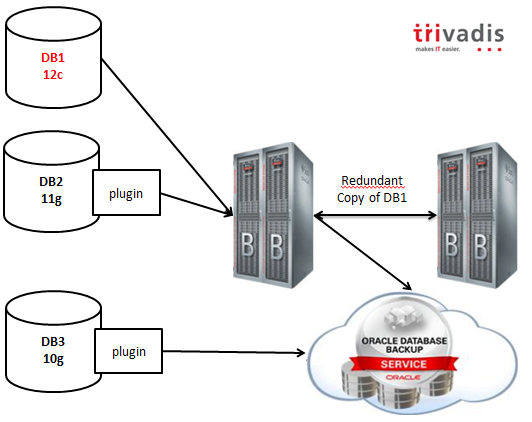
As you can infer from the picture, 12c databases will work natively with the appliance, while previous releases will have a plugin that will enable all the capabilities.
Backups can be mirrored selectively to another DBLRA, or copied to the cloud or to a 3rd party (Virtual) Tape Library.
The backup retention is enforced by the appliance and the expiration and deletion is done automatically using the embedded RMAN catalog.
Lightning fast backups and restores are guaranteed by the hardware: DBLRA is based on the same hardware used by Exadata, with High Capacity disks. Optional storage extensions can be added to increase the capacity, but all the data, as I’ve said, can be offloaded to VTLs in order to use a cheaper storage for older backups.
To resume, the key values are:
Looking forward to see it in action!
I cannot cover all the information I have in a single post, but Trivadis is working actively to be ready to implement it at the time of the launch to the market (estimated in 2014), so feel free to contact me if you are interested in boosting your backup environment. 😉
By the way, I expect that the competitors (IBM, Microsoft?) will try to develop a solution with the same characteristics in terms of reliability, or they will lose terrain.
Cheers!
Ludovico
Disclaimer: This post is intended to outline Oracle’s general product direction based on the information gathered through public conferences. It is intended for informational purposes only. The development and release of these functionalities and features including the release dates remain at the sole discretion of Oracle and no documentation is available at this time. The features and commands shown may or may not be accurate when the final product release goes GA (General Availability).
Please refer Oracle documentation when it becomes available.
Collaborate 14 is over. After a small week of vacation, it’s time for me to think about it and blog a short review about what I’ve learnt and done.
RAC Attack 12c (Monday)
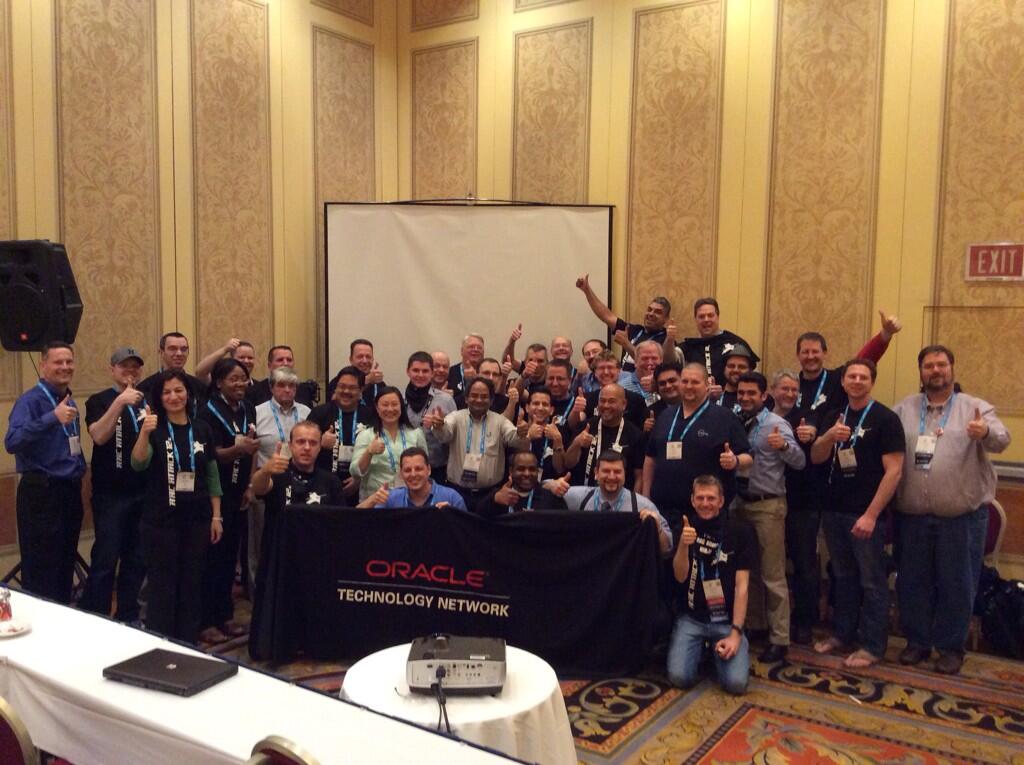
RAC Attack is definitely a great project, and the live event at Collaborate has been greater than ever before. The “official pre-conference workshop” has attracted 40 active participants (where active really means 40 people with 40 laptops installing 40 RAC 12c stacks!). Big user base means also new problems. We’ve faced a strange issue with VirtualBox showing only 32bit versions for the guest OSes (hint, hardware acceleration MUST be enabled in the laptop’s BIOS) and a few copy & paste problems from the electronic PDF (copying & pasting from the online website solves the problem). We’re working in order to fix them.
As usual, most of the problems faced by the participants were related to some steps skipped by mistake.
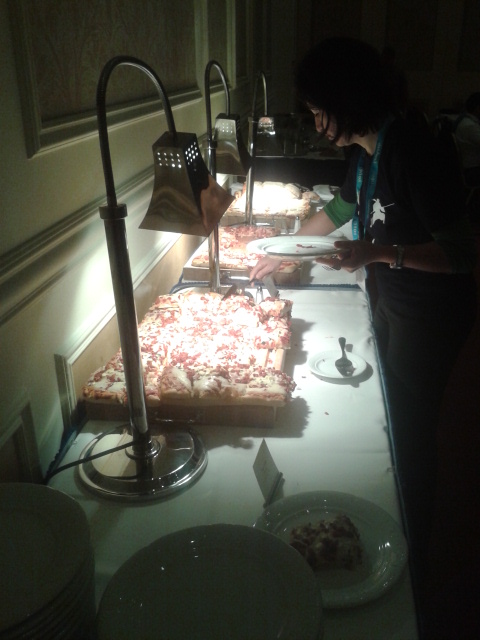
The OTN (our great friend @OracleDBDev 🙂 ) has sponsored pizzas, drinks and beers!!!
Moreover, always thanks to the OTN, we’ve got a few prizes to give to the best participants (the most active in installing and/or helping others) and cool T-shirts. We’ve got a great feedback from the attendees and the entire Oracle community, we’re looking forward to see another success like this one.
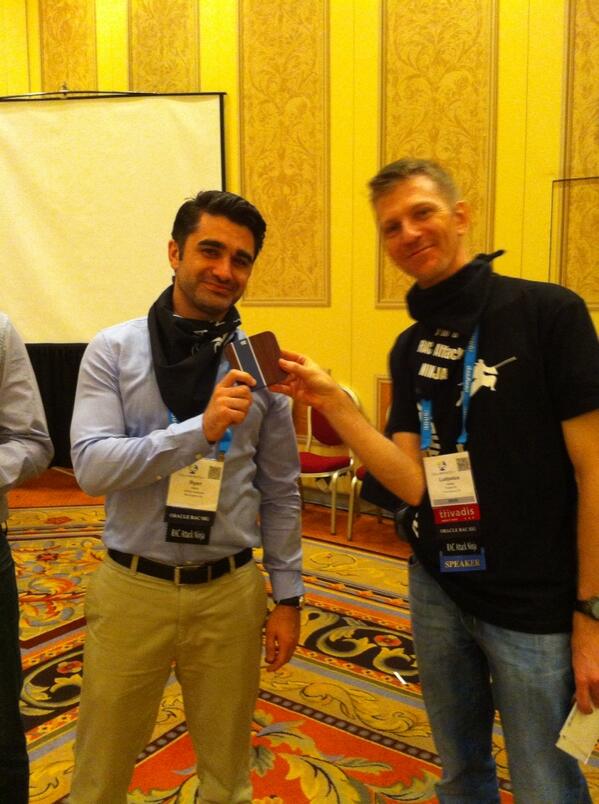
It has been possible thanks to the many local and remote contributors!
The Ninjas: Yury Velikanov, Seth Miller, Erik Benner, Andrejs Karpovs, (me)
The additional new Ninja: Ryan Weber
The OTN staff: Laura Ramsey, Bob Rhubart
The IOUG staff: Alexis Bauer Kolak, Apryl Alexander-Savino, Tricia Chiamas
The RAC Attack founder and legend: Jeremy Schneider
Other volunteers: Leighton Nelson, Osama Mustafa, Kamran Agayev, Alvaro Miranda, Maaz Anjum, Björn Rost, Bobby Curtis, Marcin Przepiorowski, Marc Fielding, <missing names here>
Most of these people are very active on Twitter, make sure to follow them! 🙂
Check out this small video by Erik Benner, it’s made by many different pictures taken during the workshop.
The RAC SIG meeting (Tuesday)
Tuesday evening I’ve organized with my friend Yury a SIG meeting about the best ways to learn Oracle RAC 12c. Despite the late time and free beer served in the exhibition hall, we’ve got a good attendance. Many new faces but also many faces from the RAC Attack. We’ve been honored by the presence of Oracle (the RAC Product Manager Markus Michalewicz in person!). It has been really interesting.
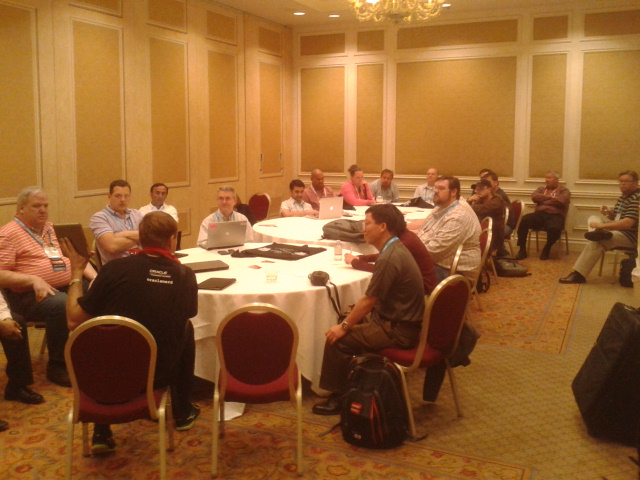
My first sessions about Data Guard (Wednesday)
I was expecting many people, actually I’ve got between 40 and 50 attendees, not sure if it’s OK, but I’ve been very excited about the presence of Larry Carpenter (Oracle Data Guard Product Manager) in the room. My speech was not good enough to fulfill my personal expectation, but I’ve got a quite good feedback from many people and a very good feedback about my live demos! 🙂
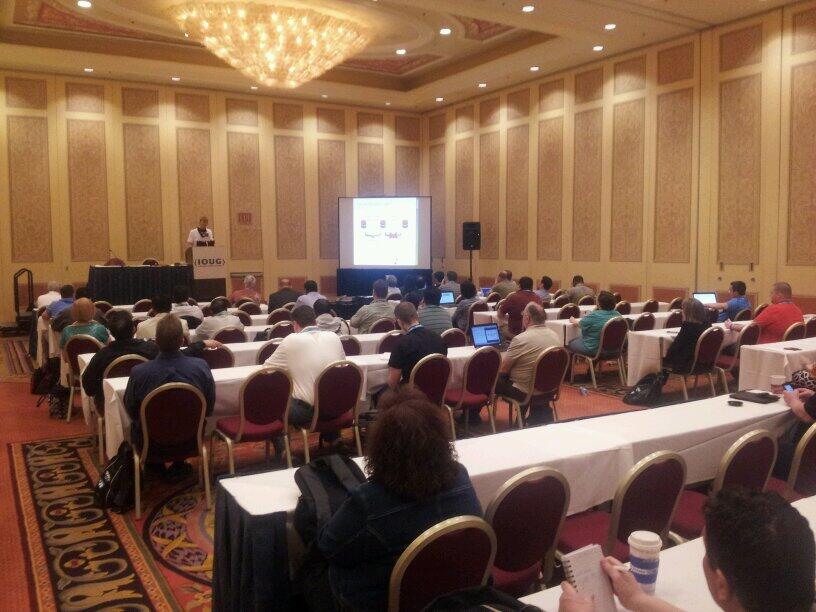
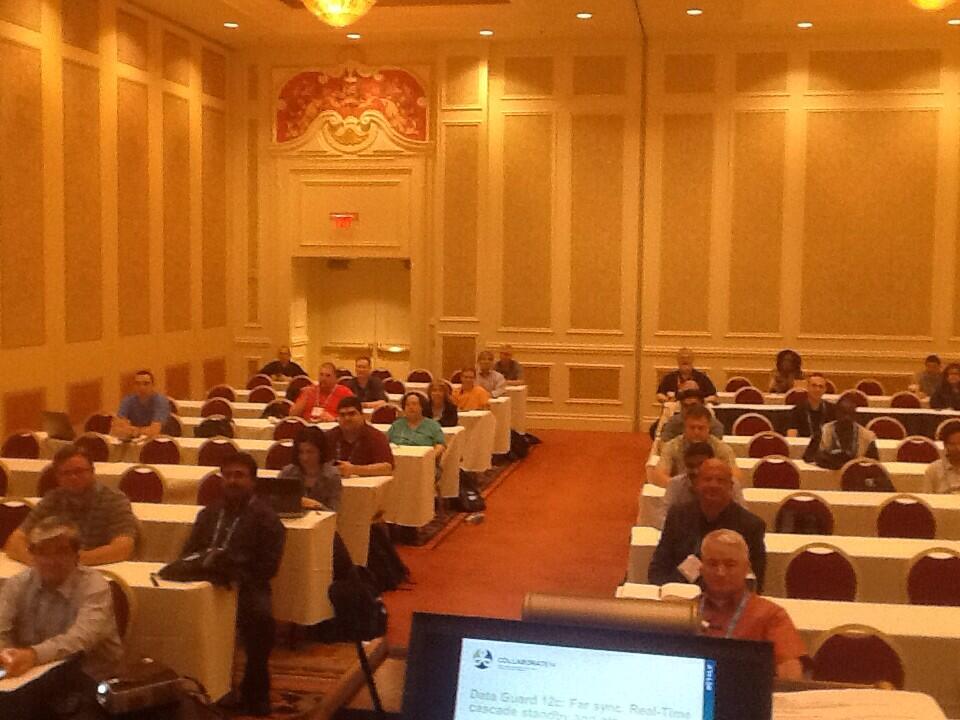
My second session about Policy-managed Databases (Friday)
My second presentation has been slight better than the first one (read: my English has been more fluent) and I’ve also got a great feedback. Again, I’ve executed the demos without problems (I’ve prepared my lab on the plane :-)) Sadly the audience has been much smaller, I think something like 15 attendees. I can blame the time (last day, early morning) and the topic: how many people know about PMDB? The next time I’ll find a more attractive title.
Networking and great content
Collaborate is big enough to network with a huge amount of experts and famous technologists, but not big enough to have difficulties in finding the people you’re looking for.
In the networking area I’ve always been able to find many great peers for great discussions.
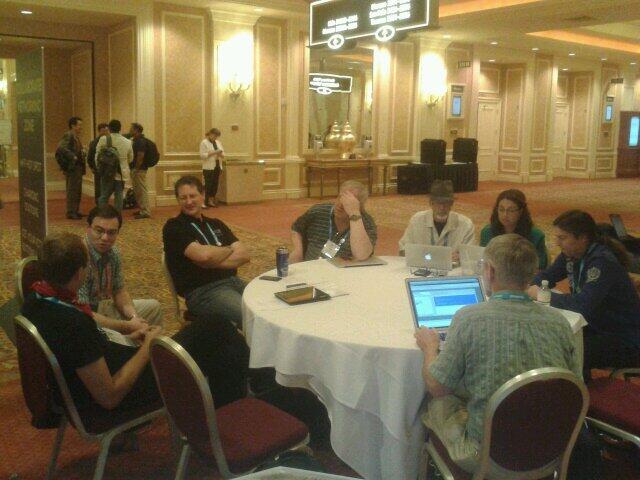
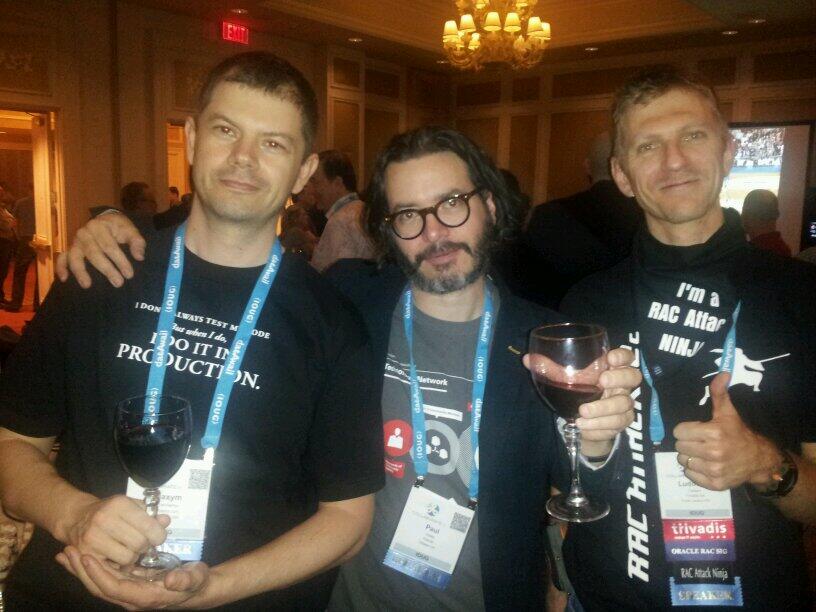
The sessions were great, I’m always excited to hear from Oracle Employees, ACEs, ACE Directors and members of the OAK Table. And this Collaborate was no exception.
The most exciting news has been the introduction of the “lightning talks” at the Oak Table World. A+++ !
Friends, more friends and a lot of friends
What I’m most excited about, is the great number of old and new friends that I’ve met. Thank you my friends, you know who you are, I hope to see you very soon! 🙂
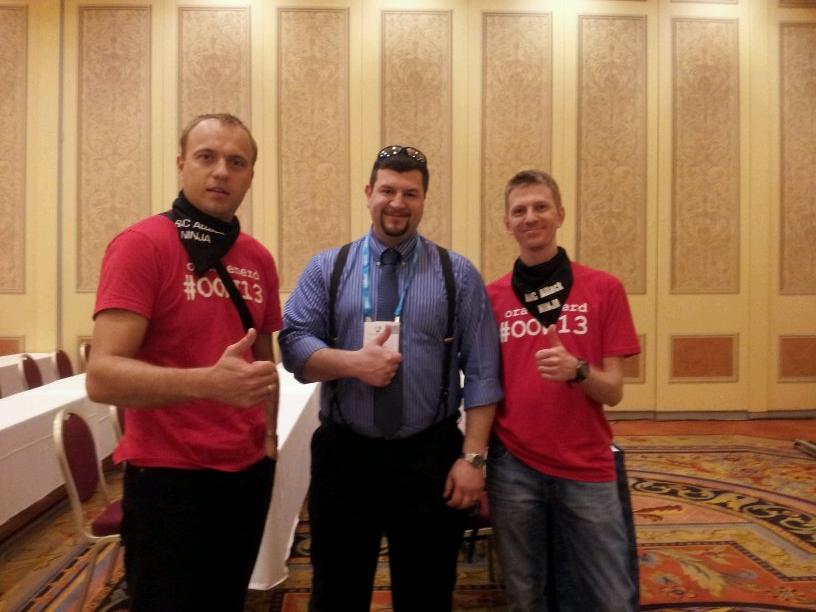
One spare day in New York (Saturday)
I’ve scheduled my flights with the intent of spending one day in New York, so I’ve landed Saturday very early and taken off the same day, in the evening. First time in NYC, I’ve loved it! 🙂
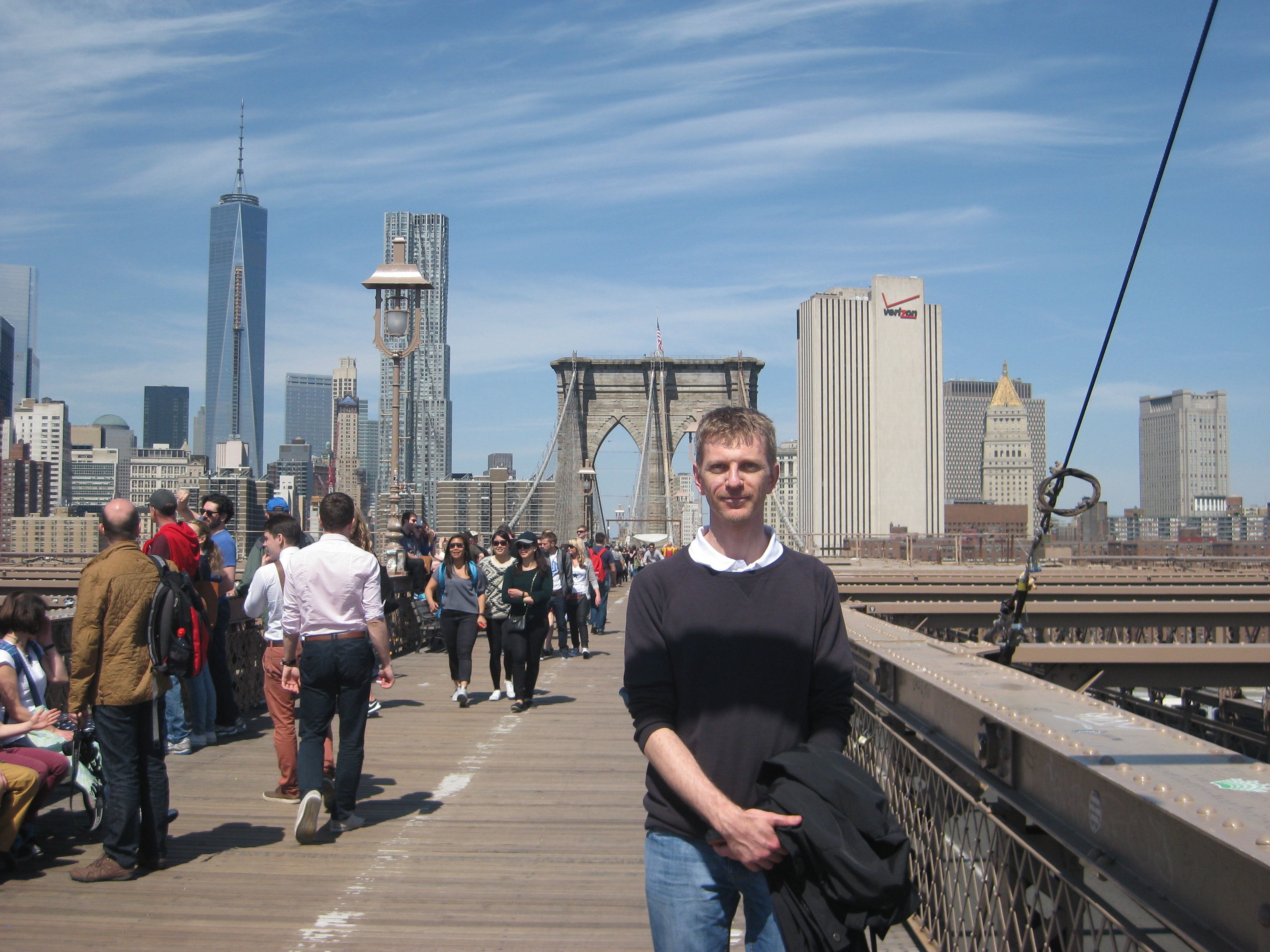

And remember, Collaborate 14 is over, but collaboration is not! Start your involvement with the community today!
Today I’ve encountered an annoying issue while adapting a few scripts for automatic database creation. I track it here so hopefully it may save a few hours of troubleshooting to someone…
I’ve used the DBCA to prepare a new template:
|
1 2 |
dbca -> Create Database -> Advanced Mode -> General Purpose -> Create As Container Database -> Create an Empty Container Database |
Then continued by customizing other options, including init parameters and datafile/logfile paths. Finally, I’ve saved it as a new template instead of creating the database.
I’ve checked the resulting .dbc and seen that there was, as expected, the parameter “enable_pluggable_database”=”true”.
Then I’ve moved the template file to my $HOME directory and tested the silent database creation with the option “-createAsContainerDatabase true”:
|
1 2 3 4 5 6 7 8 9 10 11 12 13 14 |
$ ${ORACLE_HOME}/bin/dbca -silent \ -createDatabase \ -createAsContainerDatabase true \ -templateName /home/oracle/Template_12_EE_MULTITENANT.dbc \ -gdbname cdb1 \ -sid cdb1 \ -responseFile NO_VALUE \ -characterSet AL32UTF8 \ -SYSPASSWORD *** \ -SYSTEMPASSWORD *** \ -redoLogFileSize 256 \ -initparams open_cursors=1300 \ -initparams processes=3000 \ -initparams enable_pluggable_database=true |
The database configuration has completed successfully, without errors. I’ve accessed my new container, and I’ve been surprised by seing:
|
1 2 3 4 5 |
SQL> select * from v$pdbs; no rows selected SQL> |
In fact, there were no pdb$seed datafiles:
|
1 2 3 4 5 6 7 |
SQL> select distinct con_id from cdb_data_files; CON_ID ---------- 1 SQL> |
After little investigation, I’ve found these lines in the dbca trace.log:
|
1 2 3 4 5 |
[main] [ 2014-03-28 10:37:53.956 CET ] [Host.startOperation:2651] is Template CDB false [main] [ 2014-03-28 10:37:53.956 CET ] [TemplateManager.isInstallTemplate:2314] Selected Template by user:=Template CEI 8K 12 EE MULTITENANT [main] [ 2014-03-28 10:37:53.956 CET ] [TemplateManager.isInstallTemplate:2321] The Message Id to be searched:=null [main] [ 2014-03-28 10:37:53.957 CET ] [Host.startOperation:2663] Template Selected is User created NON-CDB Template. Creating database as NON-CDB [main] [ 2014-03-28 10:37:53.957 CET ] [HAUtils.getCurrentOracleHome:490] Oracle home from system property: /ccv/app/oracle/product/12.1.0.1 |
Then I’ve struggled with dbca and templates a few times before finding that, actually, the magic “enable pluggable database” is done by dbca only if the template file name is not customized.
Running the same exact command with the very same template file but renamed to $ORACLE_HOME/assistants/dbca/templates/General_Purpose.dbc actually works (notice the diff at the first line):
|
1 2 3 4 5 6 7 8 9 10 11 12 13 14 15 |
$ diff /home/oracle/Template_12_EE_MULTITENANT.dbc $ORACLE_HOME/assistants/dbca/templates/General_Purpose.dbc $ ${ORACLE_HOME}/bin/dbca -silent \ -createDatabase \ -createAsContainerDatabase true \ -templateName General_Purpose.dbc \ -gdbname cdb1 \ -sid cdb1 \ -responseFile NO_VALUE \ -characterSet AL32UTF8 \ -SYSPASSWORD *** \ -SYSTEMPASSWORD *** \ -redoLogFileSize 256 \ -initparams open_cursors=1300 \ -initparams processes=3000 \ -initparams enable_pluggable_database=true |
|
1 2 3 4 5 6 7 8 9 10 11 12 13 14 15 16 17 18 19 20 21 22 23 |
SQL> select * from v$pdbs; CON_ID DBID CON_UID GUID ---------- ---------- ---------- -------------------------------- NAME OPEN_MODE RES ------------------------------ ---------- --- OPEN_TIME --------------------------------------------------------------------------- CREATE_SCN TOTAL_SIZE ---------- ---------- 2 4086042395 4086042395 F5A8226121F93B96E0434B96780A8C91 PDB$SEED READ ONLY NO 28-MAR-14 10.20.42.813 AM 1720341 283115520 SQL> select distinct con_id from cdb_data_files; CON_ID ---------- 2 1 SQL> |
I’ve also tried to cheat and use a symlink to my previous custom template, and surprisingly, it still works:
|
1 2 3 |
$ ls -l $ORACLE_HOME/assistants/dbca/templates/General_Purpose.dbc lrwxrwxrwx 1 oracle dba 74 Mar 28 13:07 /u01/app/oracle/product/12.1.0.1/assistants/dbca/templates/General_Purpose.dbc -> /home/oracle/Template_12_EE_MULTITENANT.dbc $ |
In the dbca trace log the message saying that the DB will be NON-CDB disappears:
|
1 2 3 4 |
[main] [ 2014-03-28 10:12:14.683 CET ] [Host.startOperation:2651] is Template CDB false [main] [ 2014-03-28 10:12:14.683 CET ] [TemplateManager.isInstallTemplate:2314] Selected Template by user:=General Purpose [main] [ 2014-03-28 10:12:14.683 CET ] [TemplateManager.isInstallTemplate:2321] The Message Id to be searched:=GENERAL_PURPOSE [main] [ 2014-03-28 10:12:14.683 CET ] [HAUtils.getCurrentOracleHome:490] Oracle home from system property: /ccv/app/oracle/product/12.1.0.1 |
So the problem is really caused by the different filename/location of the template.
IMHO it’s a kind of bug, the decision between a CDB and NON-CDB should not be taken by DBCA. Moreover, it’s not based on the content of the template, which would be logic. But today I’m late and lazy, I will not open a SR for this.
:-/