
This post is part of a blog series.
Previously, the only supported way to view broker properties for members or configurations was by running the DGMGRL SHOW DATABASE or SHOW CONFIGURATION commands. These commands made it difficult to gather all properties for every member or to check for inconsistencies. Monitoring required manual parsing of the output, and there was no direct SQL option.
With Data Guard 26ai, you can now use the new V$DG_BROKER_PROPERTY view.
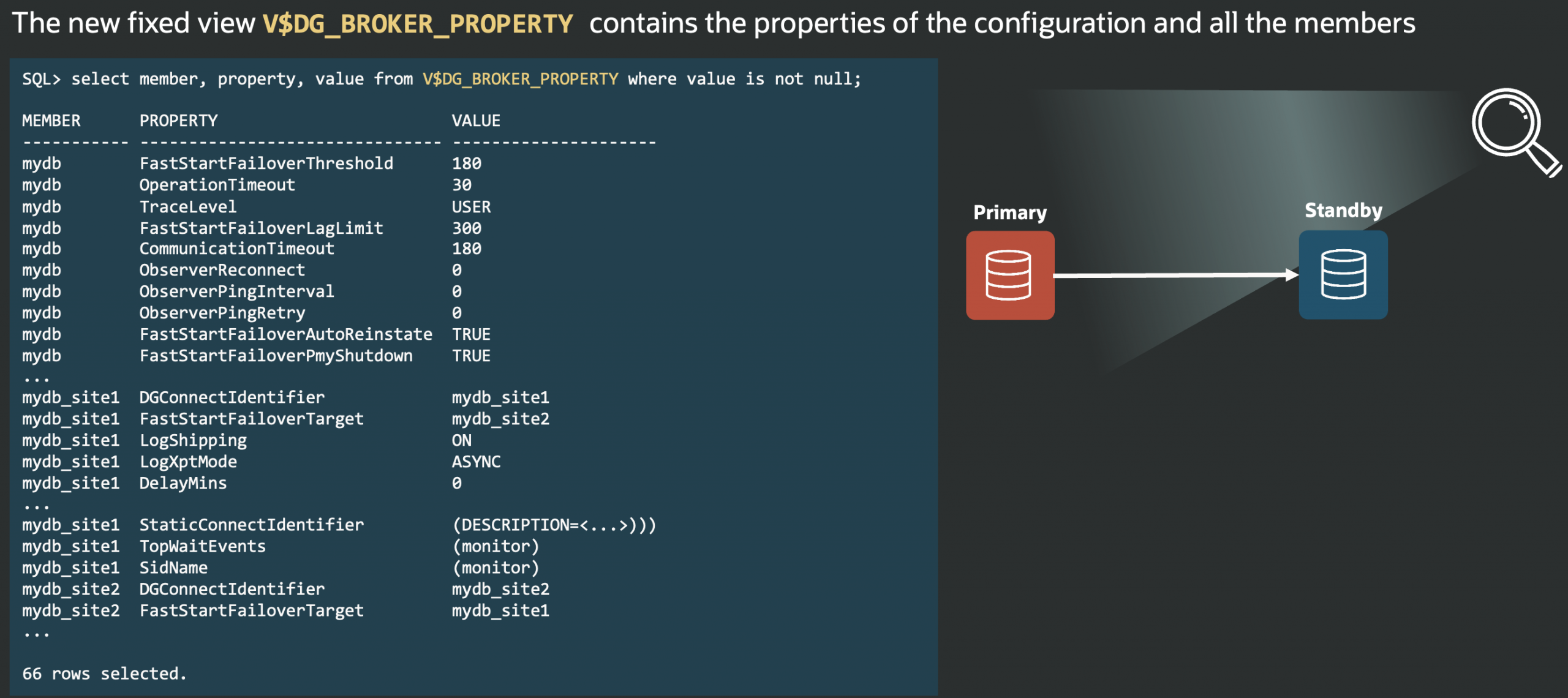
This lets you easily query all broker properties for each member or for the whole configuration, using familiar SQL tools.
The following two tabs change content below.


Latest posts by Ludovico (see all)
- Data Guard 26ai – #23: New view V$DG_BROKER_PROPERTY - March 9, 2026
- Data Guard 26ai – #22: History of role transitions - March 2, 2026
- Data Guard 26ai – #21: Switchover and failover readiness - February 27, 2026