
This post is part of a blog series.
Before 26ai, updating properties or parameters across many members in a Data Guard configuration was a multi-step process. You had to run a separate command for each member, changing the DB unique name in each of them, and issuing the command for every one. Similarly, verification required running “show database” for each member.
Before 26ai:
|
1 2 3 4 5 6 7 8 9 10 11 12 13 14 15 16 17 18 19 20 21 22 23 24 |
DGMGRL> show database mydb_site1 logxptmode LogXptMode = 'ASYNC' DGMGRL> show database mydb_site2 logxptmode LogXptMode = 'ASYNC' DGMGRL> show database mydb_site3 logxptmode LogXptMode = 'ASYNC' DGMGRL> show database mydb_site4 logxptmode LogXptMode = 'ASYNC' DGMGRL> edit database mydb_site1 set property logxptmode=sync; Property "logxptmode" updated for member "mydb_site1". DGMGRL> edit database mydb_site2 set property logxptmode=sync; Property "logxptmode" updated for member "mydb_site2". DGMGRL> edit database mydb_site3 set property logxptmode=sync; Property "logxptmode" updated for member "mydb_site3". DGMGRL> edit database mydb_site4 set property logxptmode=sync; Property "logxptmode" updated for member "mydb_site4". |
Now, 26ai offers new commands that let you display or edit properties or parameters for all members at once.
|
1 2 3 4 5 6 7 8 9 10 11 |
DGMGRL> show all members logxptmode mydb_site1: logxptmode = 'ASYNC' mydb_site2: logxptmode = 'ASYNC' mydb_site3: logxptmode = 'ASYNC' mydb_site4: logxptmode = 'ASYNC' DGMGRL> EDIT ALL MEMBERS SET PROPERTY logxptmode ='SYNC'; Property "logxptmode" updated for member "mydb_site1". Property "logxptmode" updated for member "mydb_site2". Property "logxptmode" updated for member "mydb_site3". Property "logxptmode" updated for member "mydb_site4". |
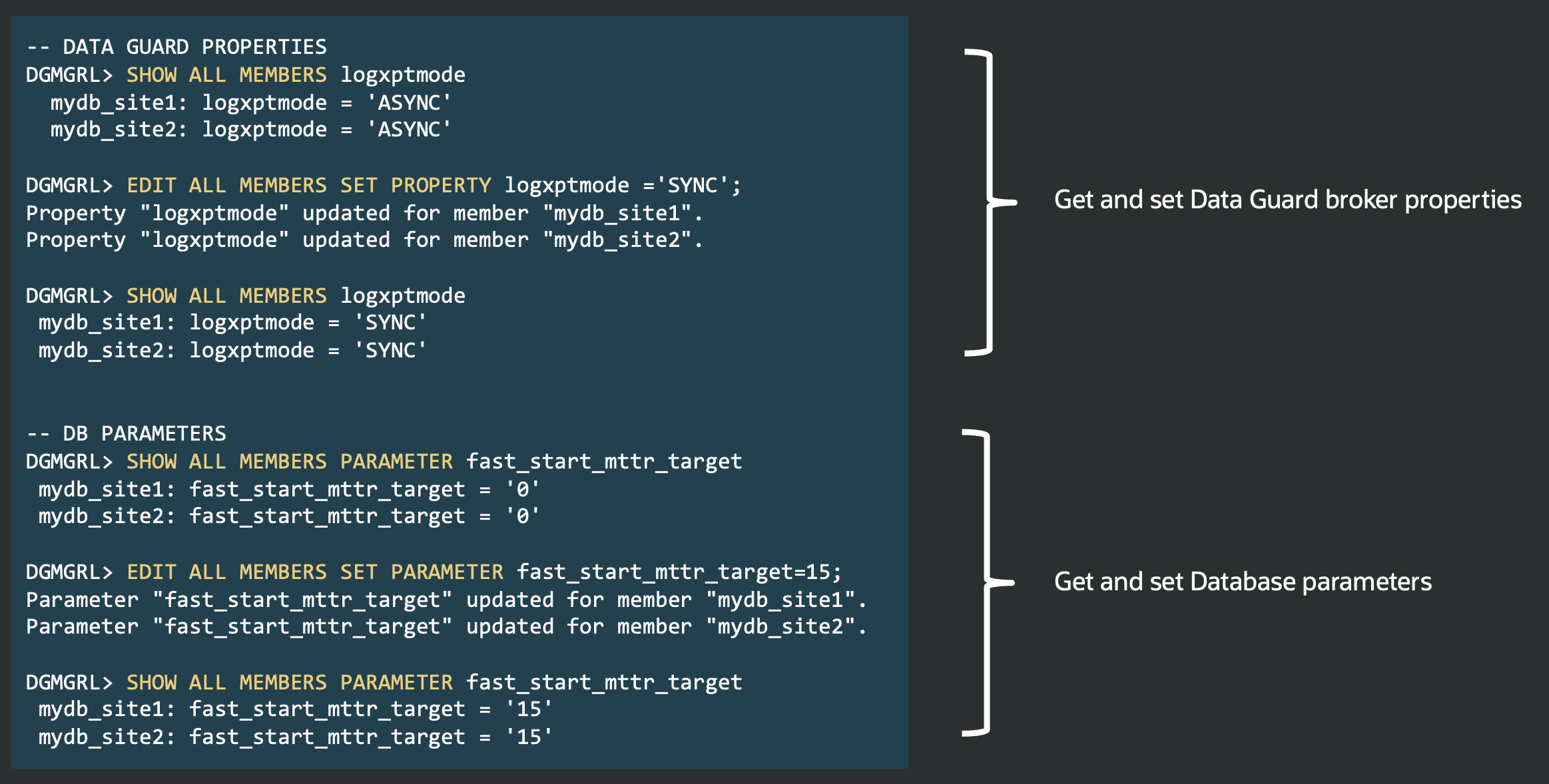
Here’s the documentation for the new commands:
- EDIT ALL MEMBERS RESET (Parameter)
- EDIT ALL MEMBERS RESET (Property)
- EDIT ALL MEMBERS SET (Parameter)
- EDIT ALL MEMBERS SET (Property)
- SHOW ALL MEMBERS (Parameter)
- SHOW ALL MEMBERS (Property)
The following two tabs change content below.


Latest posts by Ludovico (see all)
- Data Guard 26ai – #24: Validate DGConnectIdentifier - March 13, 2026
- Data Guard 26ai – #23: New view V$DG_BROKER_PROPERTY - March 9, 2026
- Data Guard 26ai – #22: History of role transitions - March 2, 2026