
This post is part of a blog series.
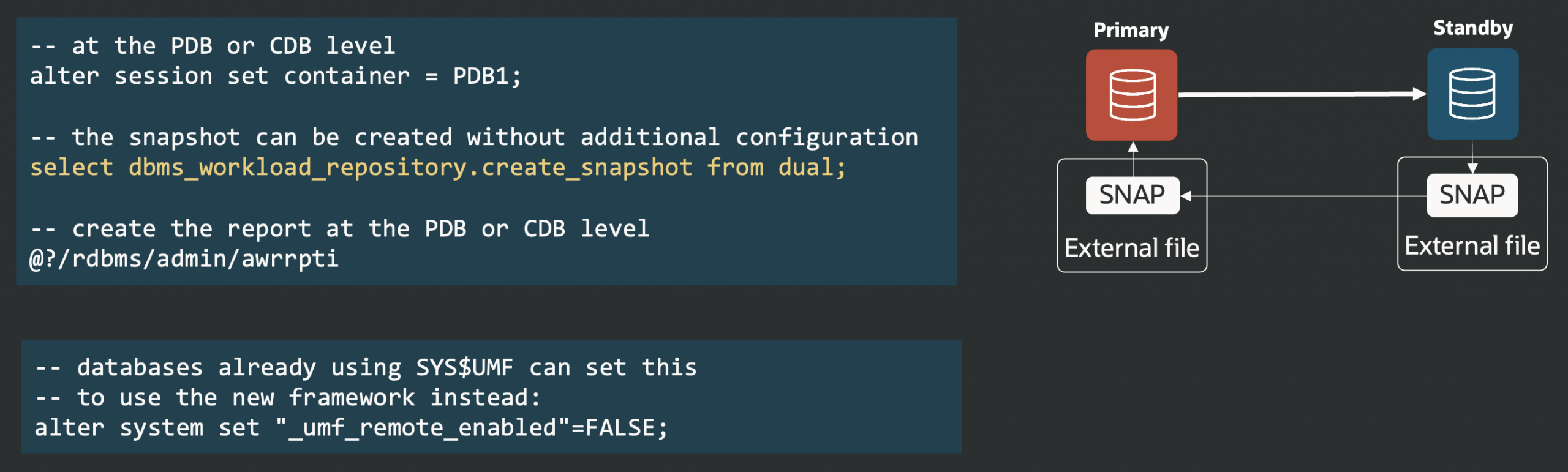
With release 26ai, generating AWR reports from Active Data Guard standby databases is now simple and direct, without extra configuration required.
Previously, starting in version 12c Release 2, you had to set up DB links and use the Remote Management Framework (RMF) with the DBMS_UMF package to let the primary database collect remote AWR snapshots from standby databases. This process, documented in MOS note 2409808.1 How to Generate AWRs in Active Data Guard Standby Databases (now KB140685), was complex and could lead to non-working state, especially after failovers.
Now, you can generate reports right on the standby database.
Under the hood, the procedure exports the snapshot to a dump file, transfers it internally to the primary host using Data Guard communication, and imports it on the primary database. All of this is transparent.


Latest posts by Ludovico (see all)
- Data Guard 26ai – #26: Fast-Start Failover Lag Histogram - April 7, 2026
- Data Guard 26ai – #25: New view V$FAST_START_FAILOVER_CONFIG - April 2, 2026
- Data Guard 26ai – #24: Validate DGConnectIdentifier - March 13, 2026